
Table of Contents
- What IT Asset Management Actually Means for Your Business
- Start With a Real Inventory: The Foundation of Every IT Asset Management Best Practice
- Track the Full Asset Lifecycle, Not Just the Purchase
- Get Software Licenses and Cloud Subscriptions Under Control
- Automate What You Can, Because Manual Tracking Doesn't Scale
- Run Regular Audits to Catch Ghost Assets and Compliance Gaps
- Assign Clear Ownership, Inside and Out
- Build Security Into Every Stage of the Asset Lifecycle
- Doing This Without an In-House IT Team
Most small and mid-sized businesses can't say, with confidence, exactly how many laptops, servers, and software licenses they're paying for right now, let alone which ones are actually being used. That gap is where money and security both leak out. IT asset management best practices exist to close it: a structured way to track every piece of hardware and software your business owns, from the day it's purchased to the day it's retired.
Done well, IT asset management isn't a compliance exercise for enterprise IT departments. It's how a growing business avoids paying for software nobody uses, catches aging hardware before it fails during a busy week, and keeps a clean paper trail when something needs to be replaced, insured, or written off. A law firm that loses track of a paralegal's old laptop after they leave, or a dental office still paying for five unused scheduling-software seats, are both symptoms of the same underlying gap: nobody owns the full picture of what the business has and what it's costing.
This guide walks through the practices that matter most for a business without a dedicated IT department, and how to put them in place without turning it into a full-time job.
Key Takeaways
- Untracked IT assets are a hidden source of wasted spend, security risk, and unplanned downtime.
- A basic inventory plus a documented lifecycle, from purchase to retirement, prevents most common problems.
- Software licenses and cloud subscriptions need the same discipline as hardware; unused seats add up fast.
- Regular audits catch "ghost assets" and compliance gaps before they turn into expensive surprises.
- Businesses without in-house IT can fold all of this into a managed IT plan instead of managing it alone.
What IT Asset Management Actually Means for Your Business
IT asset management (often shortened to ITAM) is the practice of tracking, maintaining, and optimizing every piece of technology your business owns or licenses: desktops, laptops, servers, network equipment, software subscriptions, and cloud services. The goal isn't tracking for its own sake. It's using that visibility to control costs, reduce security exposure, and make better decisions about what to buy, renew, or retire.
For a business with an internal IT team, this is a formal discipline with dedicated staff. For a business without one, it's usually something that happens informally, or not at all, until a laptop goes missing, a software renewal doubles in price with no warning, or an old server finally gives out mid-workday. The practices below apply at any size; they just look lighter for a 15-person company than a 1,500-person one.
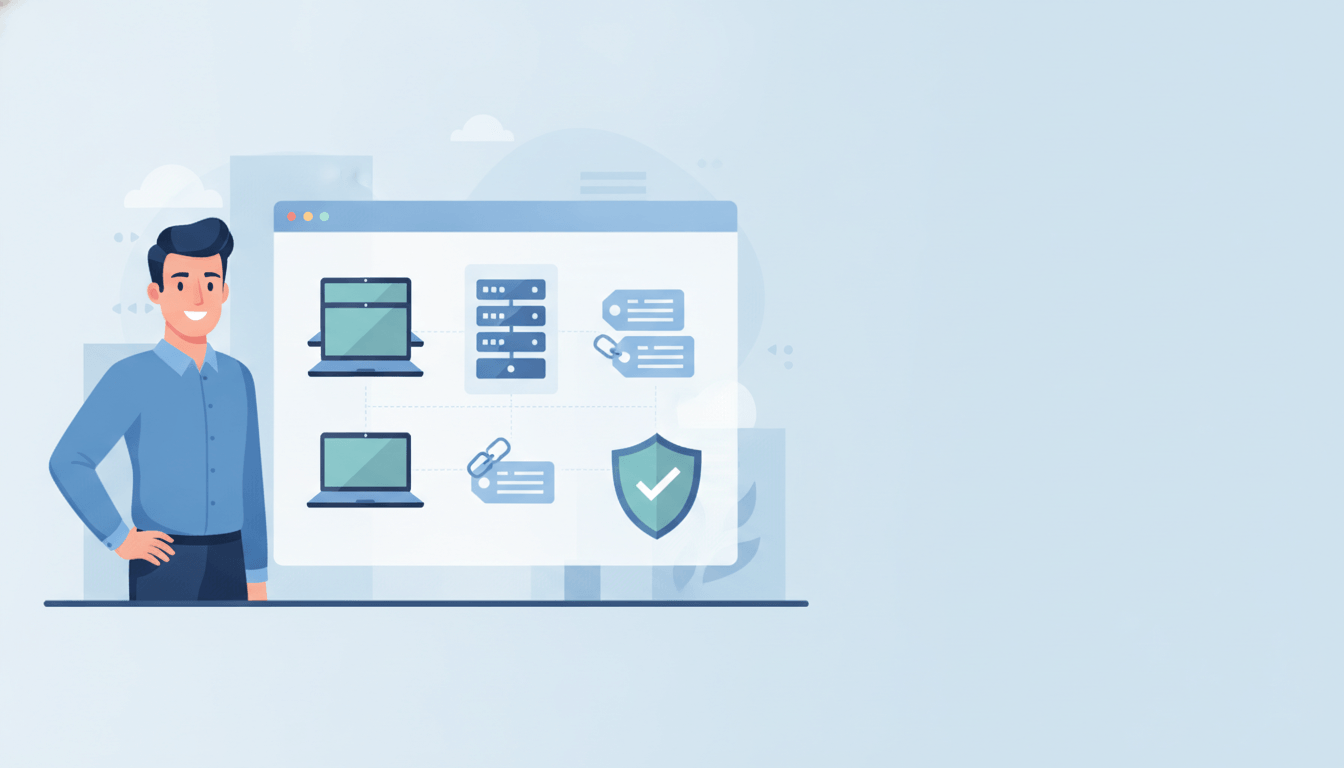
It also isn't only a hardware conversation. A complete view of your IT assets covers four layers: the physical devices themselves, the software running on them, the data they hold, and the network they connect to. Most businesses only think about the first layer until an audit, a security incident, or a surprise renewal invoice forces them to reckon with the other three.
If you want a quick primer before diving into the practices below, this short explainer covers the basics of ITAM in under five minutes:
Start With a Real Inventory: The Foundation of Every IT Asset Management Best Practice
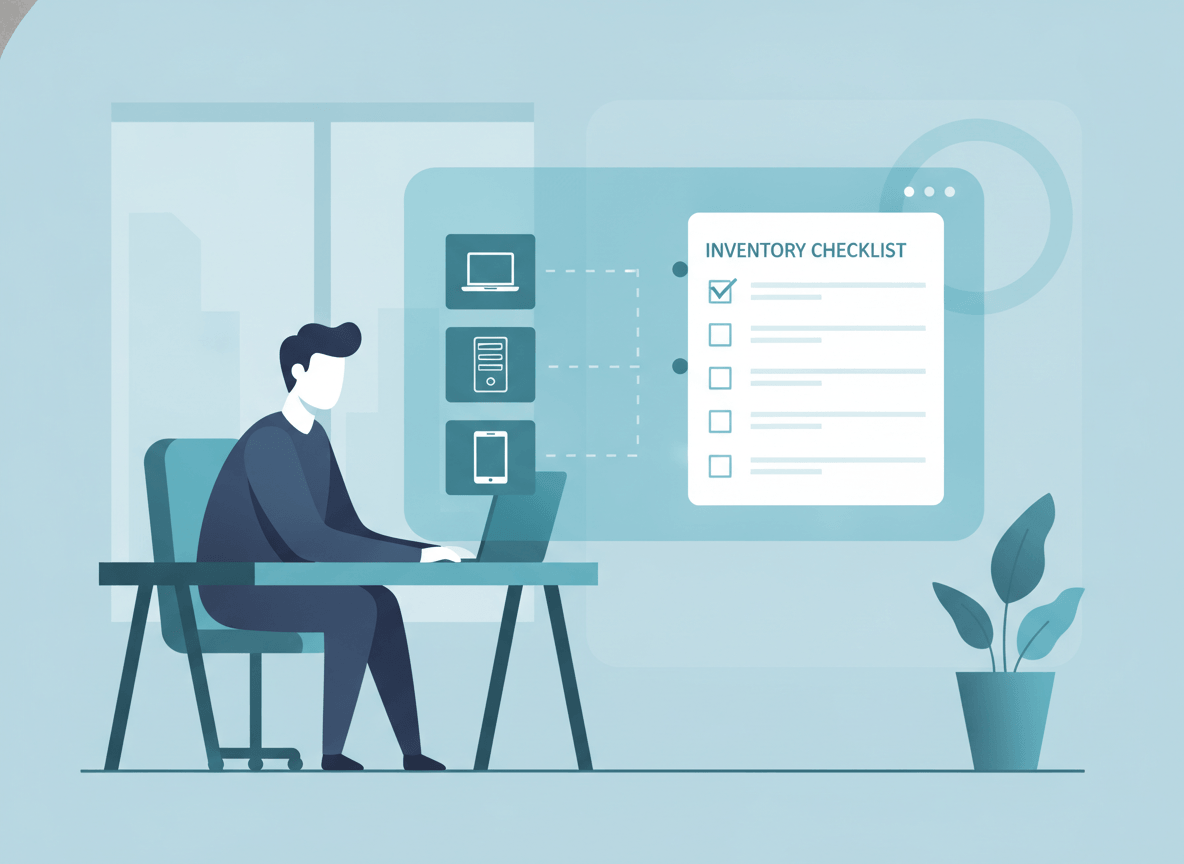
Every other practice on this list depends on one thing: knowing what you actually have. A spreadsheet updated once a year isn't an inventory, it's a snapshot of the past. An accurate, current inventory should capture:
- Every device (make, model, serial number, purchase date, and who's using it)
- Every software license and subscription, including who's assigned a seat and who isn't
- Cloud services and storage, since these rarely show up in a walk-through of the office
- Warranty and support contract expiration dates for hardware
Small businesses often start with a shared spreadsheet, and that's a reasonable starting point. The problem is that spreadsheets go stale the moment someone buys a new laptop off-cycle or cancels a subscription without telling anyone. Once you're past a handful of employees, automated discovery tools that scan the network and flag anything new are worth the switch. They don't replace judgment, but they stop the inventory from quietly drifting out of sync with reality.
Not every asset deserves equal attention, either. A receptionist's desktop and the server running your practice management software carry very different levels of risk if they go down. Tag assets by how critical they are to daily operations, and let that ranking drive how often you check on them and how quickly a failure gets addressed. This one habit keeps a growing asset list from turning into an undifferentiated pile that's technically tracked but practically unmanageable.
Track the Full Asset Lifecycle, Not Just the Purchase
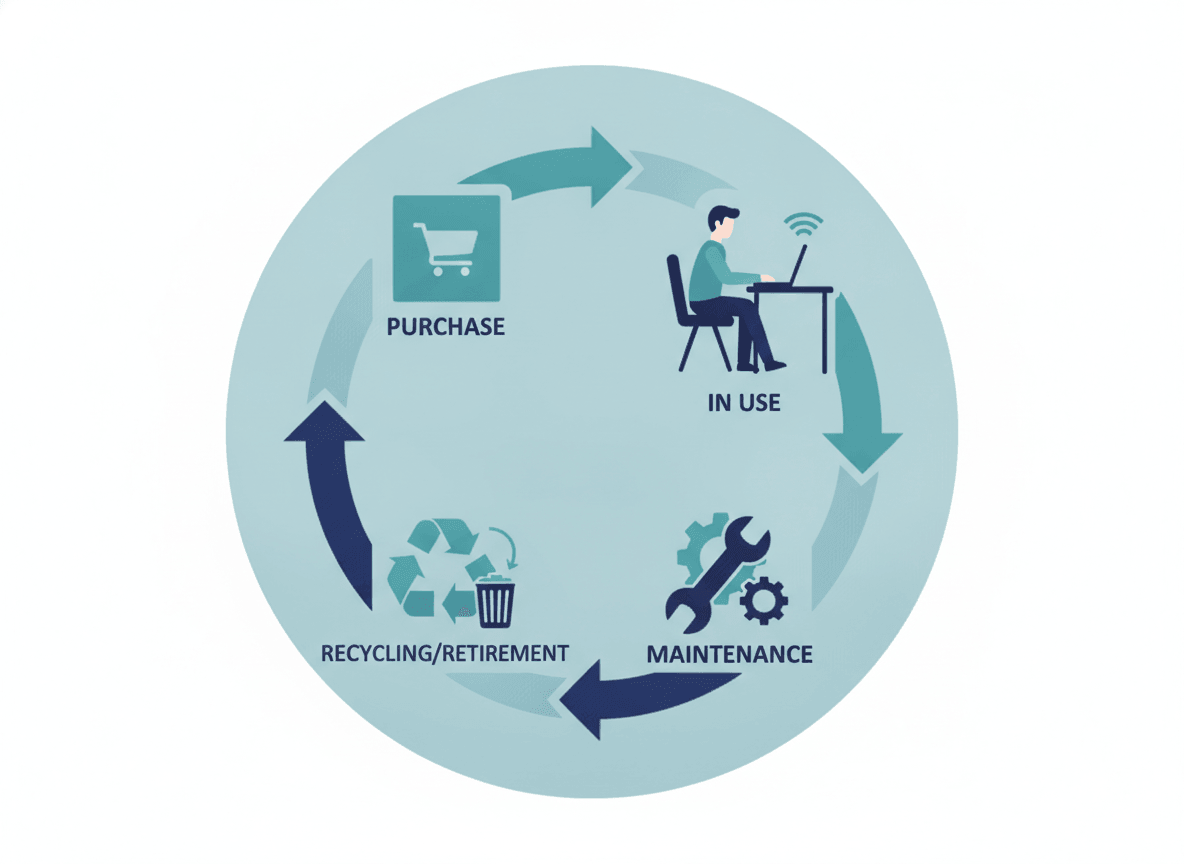
An asset's story doesn't end at checkout. Every device and license moves through a lifecycle, and skipping stages is where most of the waste and risk creeps in:
- Procurement: Buy with a standard in mind. Businesses that let every department pick its own laptop model end up with a repair and support headache a year later.
- Deployment: Assign the asset to a specific person, configure it to your security baseline, and log it before it leaves the box.
- Active use and maintenance: Patch it, monitor it, and track its condition, not just its existence.
- Retirement and disposal: Wipe data securely, deregister the license or device, and document that it happened. This step gets skipped more than any other, and it's the one with the biggest security consequences.
The businesses that struggle most with IT costs usually aren't buying too much technology. They're losing track of what they already bought, and re-buying to cover the gap. A laptop that quietly sits in a closet after an employee's role changes still shows up on an insurance schedule and a depreciation ledger, but delivers zero value while it collects dust. Multiply that across a few years of hiring, turnover, and office moves, and the gap between what you're paying for and what you're actually using can be substantial.
Document each stage as it happens rather than reconstructing it later. A simple log of who received which device, when it was last serviced, and when it was returned or retired turns "we think we have about 40 laptops" into an answer you can actually verify.
Get Software Licenses and Cloud Subscriptions Under Control
Hardware is easy to picture. Software is where the waste hides. Unused seats, forgotten trial-to-paid conversions, and duplicate tools purchased by different people on the same team are extremely common, and none of them show up unless someone is actively reconciling licenses against actual usage.
A workable approach doesn't require enterprise software asset management tooling for most SMBs. It requires a habit: review every recurring software and cloud charge on a set schedule (quarterly works for most small businesses), match each one to a named user or a clear business purpose, and cancel anything that fails that test. This single habit is often where the quickest, most visible savings on rising IT costs show up.
Pay particular attention to three common patterns: seats assigned to employees who left months ago, duplicate tools bought independently by different departments solving the same problem, and "auto-renew" subscriptions nobody remembers signing up for. None of these require sophisticated software to find, just a recurring habit of actually looking.
Automate What You Can, Because Manual Tracking Doesn't Scale
Manually checking on device health, patch status, and license usage works when you have five computers. It stops working well before you have fifty. Automated patch management tools close that gap by continuously reporting on device status, flagging overdue updates, and surfacing anomalies without anyone having to go looking for them. This is also where proactive maintenance habits pay off: catching a failing drive or an overdue update before it causes an outage is far cheaper than recovering from one.
Automation doesn't replace human judgment; it just makes sure the right information reaches a person before a small problem becomes an outage. For a business without in-house IT, this is usually the single highest-leverage investment: it turns a task nobody has time for into something that happens in the background.
Run Regular Audits to Catch Ghost Assets and Compliance Gaps
Even a good inventory drifts over time. Regular audits, whether that's a quarterly spot-check or an annual full review, catch the discrepancies before they compound: devices marked active that were actually retired months ago, licenses still being paid for after an employee left, or hardware that's quietly fallen out of warranty.
"Ghost assets," industry shorthand for equipment that's lost, stolen, or simply forgotten but still sitting on the books, are one of the most common findings in these audits. They inflate maintenance budgets and, worse, represent devices that may still have access to company data without anyone actively managing them.
An audit doesn't need to be a major production. Walking the office once a quarter with your inventory list in hand, confirming each device is where it's supposed to be and assigned to who the records say, catches most problems long before a compliance requirement or an insurance claim forces the issue.

Assign Clear Ownership, Inside and Out
IT asset management fails less often from bad tools and more often from unclear ownership. Someone needs to be responsible for the inventory staying accurate, for vendor relationships, and for making the call on what gets replaced and when. In a small business, that's often one person wearing several hats; in a managed IT arrangement, it's your provider.
"The businesses that get the most out of their technology aren't the ones with the biggest budgets. They're the ones who know exactly what they own, why they own it, and when it's time to replace it. That clarity is worth more than almost any single tool you can buy."
Marc Potter, Founder, TechWorks
The same clarity matters with vendors. Standardizing on fewer hardware models and a smaller set of trusted suppliers simplifies procurement, speeds up repairs, and gives you more leverage in pricing conversations than juggling five vendors for the same category of equipment. Before signing with any hardware or software vendor, confirm what post-sale support actually looks like. A warranty that takes three weeks to get a callback isn't much of a warranty when a server is down.
Build Security Into Every Stage of the Asset Lifecycle
Every unmanaged asset is a potential entry point. A laptop that never gets patched, a former employee's account that never gets deactivated, or a decommissioned server that wasn't wiped before disposal are all real, common ways businesses get breached, and all of them trace back to gaps in asset management rather than a sophisticated attack. The Cybersecurity and Infrastructure Security Agency lists asset inventory as one of the foundational steps in any organization's security posture, precisely because you can't secure what you don't know you have.
Building security into the lifecycle rather than bolting it on afterward means every new device gets a security baseline before deployment, every retired device gets a verified wipe, and access is tied to current employment status, not assumed. None of this requires exotic tooling. It requires a checklist that gets followed every single time, not just when someone remembers.
Doing This Without an In-House IT Team
Everything above is straightforward in concept and genuinely time-consuming in practice. That's the real reason IT asset management gets skipped at smaller businesses: not a lack of awareness, but a lack of hours in the week. A business owner running operations, sales, and finance doesn't have room left to reconcile software licenses every quarter.
Broadly, businesses handle this one of two ways:
| Approach | What it looks like | Where it tends to break down |
|---|---|---|
| Doing it yourself | An owner or office manager keeps a spreadsheet, checks in on renewals when they remember, and handles issues as they come up | Works fine at a handful of employees; falls behind quickly as headcount and subscriptions grow |
| Managed IT partner | Inventory, patching, license reviews, and disposal are handled as routine, ongoing maintenance by an outside provider | Requires trusting a partner with visibility into your systems, which is why vetting that partner matters |
If you want to start improving this on your own this week, a short list to work through:
- Build one shared list of every device and who has it, even if it's just a spreadsheet to start
- Pull up your last three months of software and cloud charges and flag anything nobody can explain
- Check whether any former employees still have active accounts or assigned devices
- Note which hardware is out of warranty or past its typical replacement age
For most businesses, that list eventually points to the same conclusion: this works better as an ongoing system than a periodic scramble. A managed IT provider folds asset tracking, patch management, license reviews, and secure decommissioning into routine, proactive maintenance, so nothing depends on someone remembering to check. If keeping up with your own inventory has started to feel like a part-time job on top of running your business, that's usually the sign it's time to hand it to a partner instead of adding another task to the list.
FAQs
What is IT asset management, in simple terms?
It's the practice of tracking every piece of hardware and software your business owns, from purchase through retirement, so you always know what you have, what it's costing you, and when it needs to be replaced.
How often should a small business audit its IT assets?
A quarterly spot-check plus one full annual review is enough for most small businesses. Audits catch devices, licenses, and subscriptions that have quietly fallen out of sync with your records before they turn into wasted spend or a security gap.
What's the difference between IT asset management and IT inventory?
An inventory is just a list of what you own. IT asset management includes that list, plus the processes around it: lifecycle tracking, license reconciliation, security baselines, and audits that keep the list accurate over time.
Do I need special software to manage IT assets, or can I start with a spreadsheet?
A spreadsheet is a fine starting point for a handful of employees. Once you're tracking dozens of devices and licenses across multiple people, automated discovery and monitoring tools become worth the cost because they catch changes a spreadsheet misses.
Can a managed IT provider handle asset management for us?
Yes. Inventory tracking, patch management, license reviews, and secure decommissioning are typically included as part of an ongoing managed IT plan, so the responsibility moves off your plate instead of becoming another task to remember.