
Table of Contents
- Why Preventive IT Maintenance Matters for Small Business Continuity
- How Should You Organize a Preventive IT Maintenance Checklist?
- What Patch Management and Update Strategy Should You Follow?
- How Do You Build Hardware Maintenance Into Your Preventive Schedule?
- What Network and Firewall Maintenance Should You Schedule?
- Preventive IT Maintenance Checklist Template: What Should You Track?
- Why Should You Consider Managed IT Services for Preventive Maintenance?
- Measuring Success: What Metrics Should You Track?
- Conclusion
Unplanned IT downtime costs small businesses $8,000 to $25,000 per hour, and many organizations still operate on reactive break-fix models that amplify these losses. Yet preventive maintenance reduces equipment downtime by up to 30% while cutting maintenance costs by 12–18% compared to purely corrective approaches. The difference between a controlled maintenance schedule and emergency firefighting is the difference between predictable costs and catastrophic business interruption. This guide walks you through a practical, actionable preventive IT maintenance checklist designed to eliminate downtime before it happens.
Key Takeaways
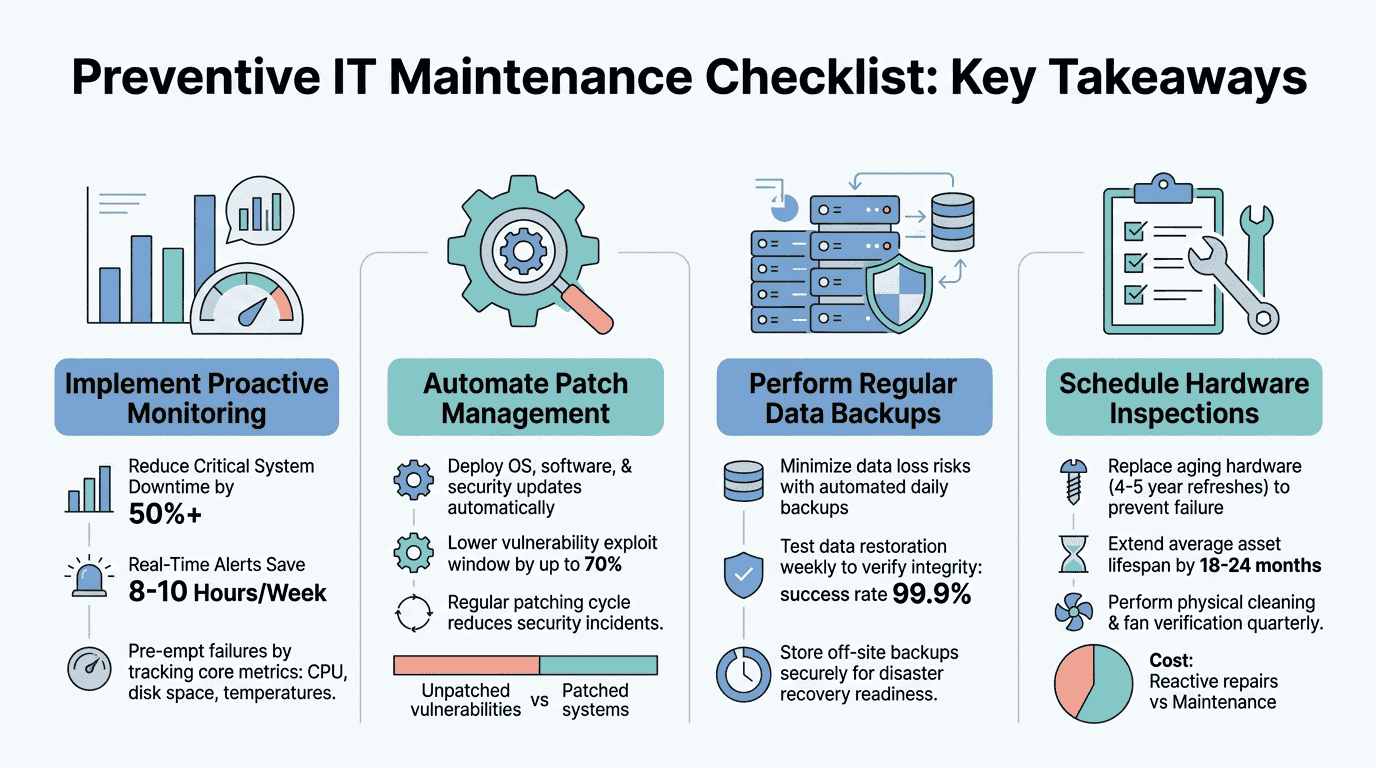
- Organizations using preventive maintenance report 30% reductions in equipment downtime, with ROI reaching 400% through cost savings and avoided outages (Brightly Software, 2025)
- Reactive maintenance costs 3–5 times more than proactive approaches when accounting for emergency labor, lost productivity, and system damage
- A structured maintenance checklist covering patches, backups, monitoring, and hardware inspection prevents the majority of common IT failures
- System Monitoring & Health Checks: Real-time infrastructure visibility prevents failures before they cascade into outages.
- Patch & Update Management: Scheduled patches eliminate vulnerabilities and improve system stability across all endpoints.
- Backup & Disaster Recovery: Automated, tested backups ensure rapid recovery if an incident occurs.
- Hardware Maintenance & Inspection: Preventive hardware care extends asset lifespan by one-third and catches degradation early.
- Network & Firewall Hygiene: Proactive network management reduces bandwidth bottlenecks and security exposure.
Why Preventive IT Maintenance Matters for Small Business Continuity
Every hour of downtime translates directly to lost revenue, missed customer commitments, and damaged credibility. For a small business with 20–50 employees, each hour of unplanned downtime costs between $8,000 and $25,000, depending on the systems affected and industry. Over a year, even modest downtime events add up: a company experiencing just 14 hours of unplanned downtime annually faces potential losses of $137,000 to $427,000. The math is clear: preventing downtime is far cheaper than managing its fallout.
The reason many small businesses remain reactive is simple: break-fix support feels cheaper upfront. You pay only when something breaks. But this model ignores the hidden cost multiplier. When systems fail unexpectedly, emergency repairs require overtime technician labor, expedited shipping for parts, and lost business during the recovery window. Reactive maintenance costs 3–5 times more than preventive maintenance over the lifetime of your IT infrastructure. By adopting preventive maintenance, you shift from paying for emergency firefighting to managing planned, scheduled work that predictably fits your budget. Research from Brightly Software confirms that every dollar invested in preventive maintenance saves up to five dollars on unforeseen expenses.
Preventive IT maintenance also protects your business from cascade failures. When one system isn't properly maintained, it degrades performance across dependent systems. A failing hard drive slows file servers. Outdated firmware creates network bottlenecks. Unpatched workstations become entry points for ransomware that spreads to servers and backups. Proactive IT maintenance intercepts these issues before they spiral into multi-system outages.
How Should You Organize a Preventive IT Maintenance Checklist?
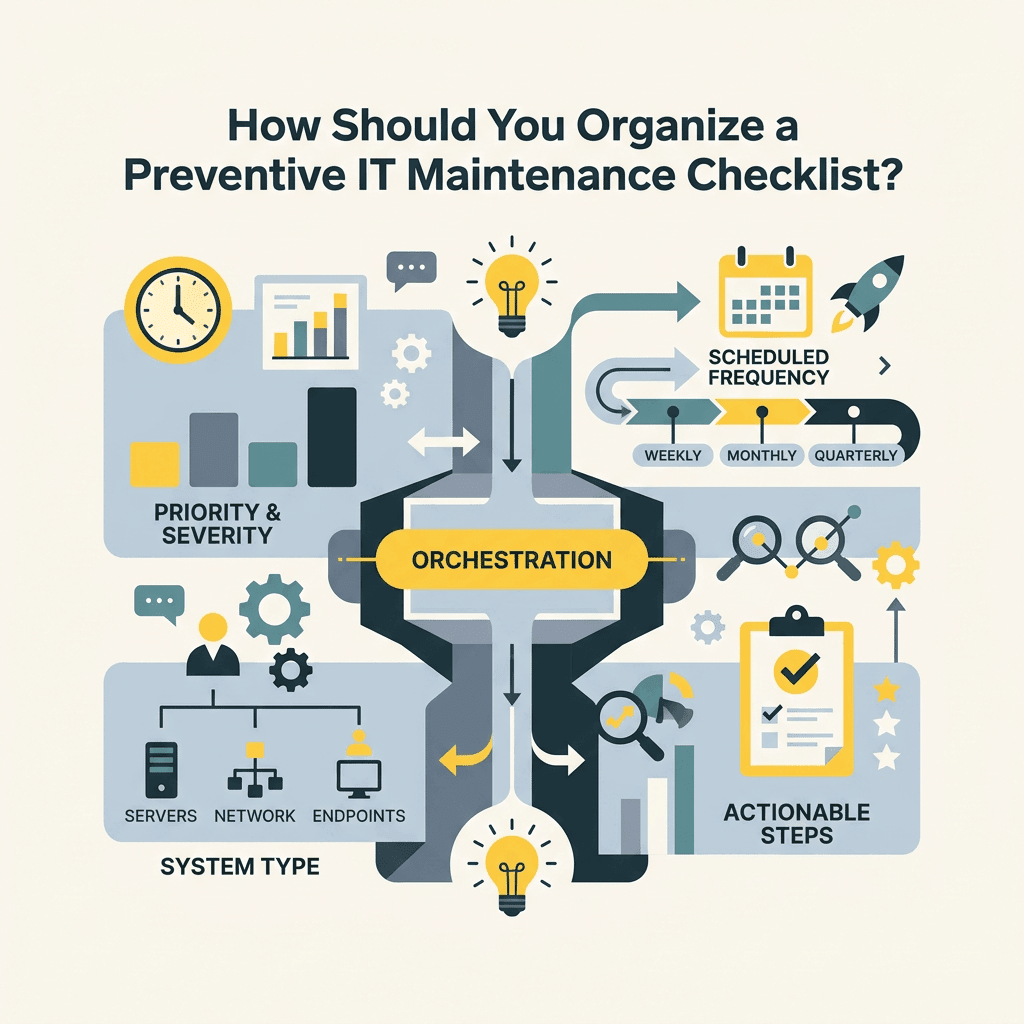
A functional preventive maintenance checklist isn't a one-time task list; it's a rolling calendar of activities scheduled across daily, weekly, monthly, and quarterly intervals. The structure ensures critical systems receive attention at the right frequency without overwhelming your IT team or budget. The goal is to distribute maintenance work evenly so nothing falls through cracks due to competing priorities.
Daily Monitoring and Health Checks
Your IT infrastructure generates performance data 24/7. The question is whether you're actively listening to it. Daily health checks focus on automated monitoring that flags abnormalities without requiring manual review of every metric. This includes monitoring system CPU, memory, and disk usage; tracking application response times; and watching for unauthorized access attempts or network anomalies. Tools that aggregate this data in a single dashboard eliminate the need to log into dozens of systems manually.
Daily health checks catch early warning signs: a slowly filling disk drive, rising error rates in a database, or network latency creeping upward. Catching these signals early gives you time to plan remediation rather than waking up to a critical alert at 3 a.m. Many small businesses skip this step, assuming monitoring requires expensive enterprise software. In reality, IT infrastructure monitoring solutions range from basic (free tier) to managed services that handle monitoring for you, alerting only when action is needed.
Weekly Backup Verification and Log Reviews
Backups are only useful if they work. A weekly checklist item should verify that automated backups completed successfully, that backup files are recoverable, and that storage capacity remains sufficient. Many organizations discover backup failures only when they try to recover from an incident, which is far too late. Weekly verification of backup logs takes 30 minutes and prevents the catastrophe of discovering your recovery point objective (RPO) is broken during a crisis.
Pair backup verification with a weekly review of security logs and access events. Look for patterns: repeated failed login attempts, accounts accessing files they don't normally touch, or connections from unusual geographic locations. Weekly log reviews catch intrusions before attackers establish persistence. If your organization lacks the expertise to interpret logs, managed cybersecurity monitoring services handle this continuously and alert your team only to genuine threats.
What Patch Management and Update Strategy Should You Follow?
Software vulnerabilities are discovered constantly, and vendors issue patches to fix them. Unpatched systems are the most exploited attack surface in enterprise networks, making patch management one of the highest-impact preventive measures. However, applying patches carelessly can break systems. A structured patch management strategy balances speed with stability by prioritizing critical vulnerabilities and testing patches in isolated environments before deploying to production. According to Gitnux's 2026 preventive maintenance research, organizations that adopt data-driven maintenance strategies report the most significant downtime reductions and cost savings.
Vulnerability Prioritization and Risk Assessment
Not all patches are equally urgent. A critical remote code execution vulnerability affecting your server operating system requires immediate deployment. A minor cosmetic fix to desktop software can wait until the next scheduled update cycle. Effective patch management starts by understanding your asset inventory: what systems do you run, which software has security update obligations, and which vulnerabilities pose the highest risk to your business.
Risk prioritization means considering both the severity of the vulnerability and the exposure of the affected system. A vulnerability in your internal file server is risky but less critical than a vulnerability in your internet-facing firewall or email system. This is where asset discovery and management tools shine. Services that scan your network, catalog all connected devices, and correlate vulnerabilities against your specific environment provide the context needed to prioritize patches intelligently.
Testing, Staging, and Production Deployment Schedules
Critical patches for core infrastructure should follow a phased deployment: test in a non-production environment, validate functionality, then roll out to production systems. For workstations and less critical systems, a standard monthly patch Tuesday cycle (second Tuesday of each month) provides predictability without excessive change frequency. This schedule aligns with Microsoft, Adobe, and most vendors' release calendars, simplifying coordination.
Document your patch management process: which systems patch on which schedule, who approves deployment, how you communicate planned downtime, and how you verify successful application. This documentation prevents the common scenario where critical systems are skipped in the patching cycle because "nobody was sure who maintained them." Patch management services automate this entire workflow, testing and deploying patches across your entire environment on a consistent schedule.
How Do You Build Hardware Maintenance Into Your Preventive Schedule?
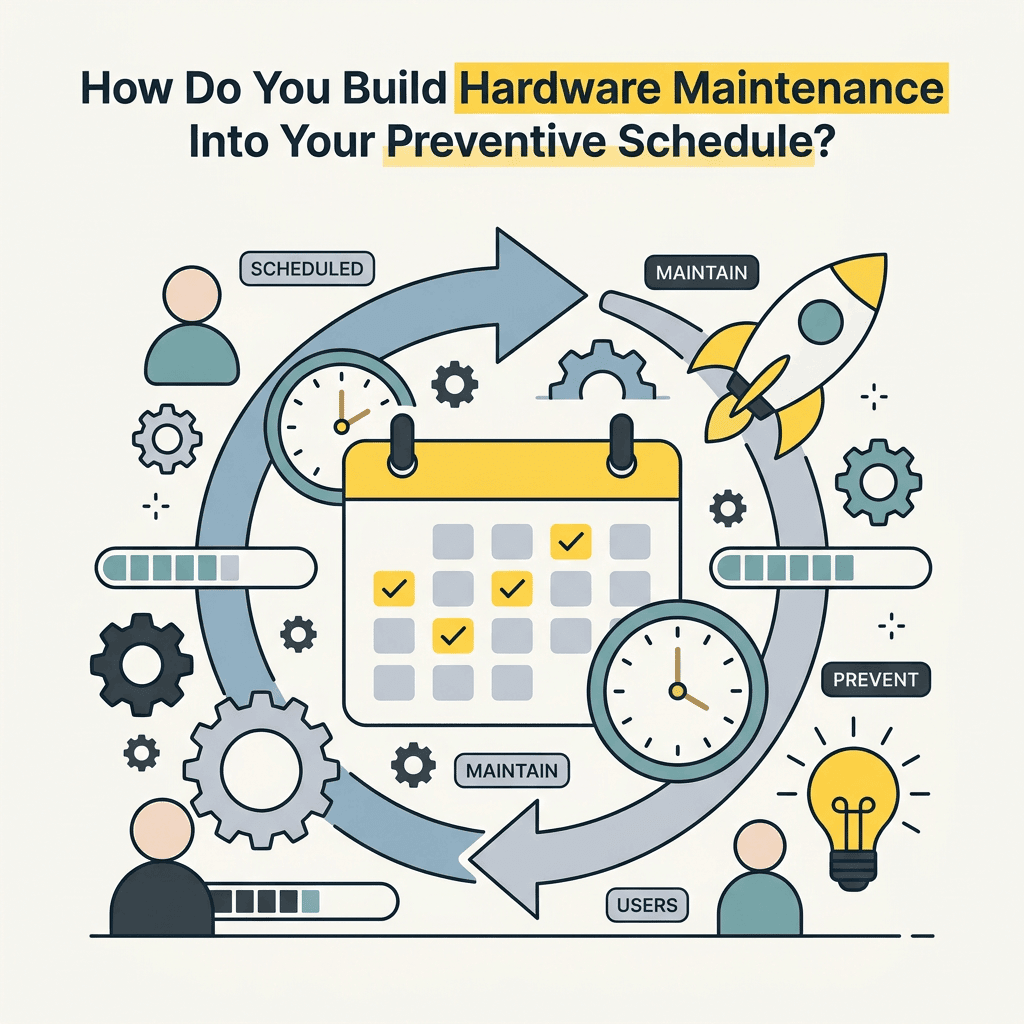
Hardware degrades over time. Fans accumulate dust. Hard drives show increasing error rates before catastrophic failure. Memory modules experience bit rot. Power supplies lose efficiency. Regular hardware inspection catches degradation early, extending equipment lifespan and preventing sudden failures. A preventive hardware maintenance schedule typically includes quarterly inspections and annual replacements for high-wear components like cooling fans and batteries. Research shows that preventive maintenance extends equipment lifespan by nearly one-third, delivering measurable ROI through extended asset value.
Workstation Cleaning and Thermal Management
Dust buildup in computers blocks airflow and causes thermal throttling, reducing CPU performance and shortening component lifespan. Quarterly compressed air cleaning of workstation fans and heatsinks costs almost nothing and yields measurable improvements in system stability. Thermal monitoring software tracks CPU and system temperatures, alerting if cooling becomes ineffective. Machines that consistently run hot are candidates for deeper cleaning or component replacement.
For server rooms, thermal management is even more critical. Temperature control, proper rack airflow, and cable management keep server hardware running cool and stable. If your business operates servers in-house, quarterly facility walkthroughs checking temperature sensors, verifying HVAC operation, and inspecting for hot spots prevent heat-related failures.
Storage Device Health Monitoring
Hard drives and SSDs generate S.M.A.R.T. (Self-Monitoring, Analysis and Reporting Technology) data indicating wear and impending failure. Software that continuously monitors S.M.A.R.T. metrics gives early warning of drive degradation, allowing you to replace a drive before data loss occurs. Enterprise-class storage systems include built-in redundancy (RAID arrays) so a single drive failure doesn't cause data loss, but consumer-grade hardware doesn't. Monthly S.M.A.R.T. monitoring of all storage devices, combined with a clear replacement protocol for degraded drives, prevents the data loss scenarios that harm small businesses most.
Paired with automated backups, proactive storage monitoring ensures you're never reliant on a single hard drive for critical business data. Managed backup services include automated storage health monitoring, removing the manual inspection burden.
What Network and Firewall Maintenance Should You Schedule?
Networks are invisible until they fail. A preventive network maintenance checklist includes firewall rule reviews, VPN access audits, bandwidth monitoring, and physical port inspections. Network complexity grows as businesses add cloud services, remote workers, and integrations with third-party systems. Without preventive network hygiene, misconfigurations, orphaned rules, and performance bottlenecks accumulate unnoticed.
Firewall Rule Reviews and Security Policy Updates
Firewall rules govern which traffic reaches your systems. Over time, rules accumulate: old remote access policies for departed employees, outdated integrations, and temporary exceptions that become permanent. Quarterly firewall audits identify rules that can be safely removed, tightening your security posture and reducing complexity. Removing unnecessary rules also improves performance by reducing the firewall's processing load.
Firewall rule reviews should also validate that inbound traffic policies align with your current business model. If you no longer need a specific port open for legacy software, close it. If you've migrated to a new vendor that uses different ports, update rules accordingly. This preventive step catches security oversights that attackers might otherwise exploit.
Bandwidth and Connectivity Monitoring
Slow networks feel like system failures to end users, even if all systems are technically healthy. Monthly bandwidth reports showing peak usage, trending growth, and bottleneck locations inform capacity planning. If you see bandwidth usage trending toward 70–80% of your maximum capacity, that's a signal to upgrade your circuit before congestion becomes noticeable.
For businesses with redundant internet circuits (a best practice), periodic failover testing ensures your backup connection works reliably. Testing failover monthly catches configuration issues before you need the backup connection during an outage. IT infrastructure planning should include capacity projections based on historical growth and planned business expansion.
Preventive IT Maintenance Checklist Template: What Should You Track?
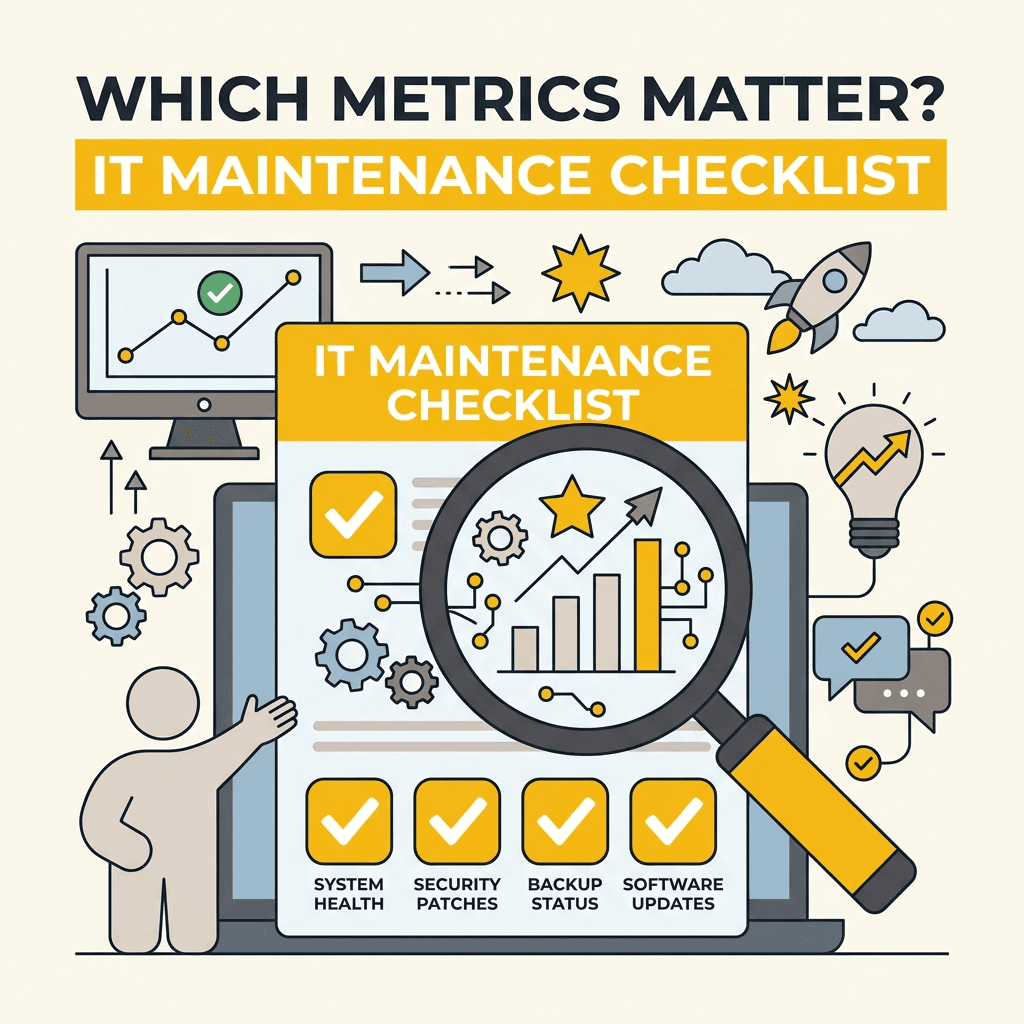
A useful preventive maintenance checklist is specific, measurable, and easily tracked. The following template breaks maintenance activities into categories with clear ownership and frequency. Adapt this to your environment, but the core principle remains: scheduled, distributed work prevents the emergency situations that cost far more in dollars and downtime.
| Maintenance Task | Frequency | Owner | Verification Method |
|---|---|---|---|
| Monitor system CPU, memory, disk usage | Daily | Automated monitoring system | Dashboard alerts, daily review |
| Verify backup completion and test restore | Weekly | IT staff | Backup logs, successful restore test |
| Review security and access logs | Weekly | IT / Security | Log review report, anomalies flagged |
| Apply OS and application patches | Monthly (2nd Tuesday) | IT / Systems Admin | Patch report, system reboot logs |
| Hardware cleaning and thermal check | Quarterly | IT technician | Physical inspection, temp readings |
| S.M.A.R.T. storage health check | Monthly | Automated monitoring | Health report, failed drives identified |
| Firewall rule audit and cleanup | Quarterly | Network admin | Rule inventory, unused rules removed |
| Bandwidth and connectivity review | Monthly | Network admin | Bandwidth report, peak usage tracked |
| Failover testing (redundant systems) | Quarterly | IT staff | Failover log, system switch success |
| Inventory and license compliance audit | Quarterly | IT manager | License report, unused assets documented |
This template serves as a foundation. Your specific checklist may include additional items based on your industry, infrastructure complexity, and regulatory requirements. The key is consistency: if a task is on the checklist, it should be tracked and completed on schedule. Gaps in your maintenance schedule create risk.
Why Should You Consider Managed IT Services for Preventive Maintenance?
Preventive maintenance demands consistency and expertise. It's not glamorous work, which is why many small IT departments deprioritize it for reactive problem-solving. The result: planned maintenance gets pushed back, vulnerabilities accumulate, and the organization drifts back into a reactive posture. Managed IT services eliminate this pattern by assuming responsibility for preventive maintenance as part of a defined service level agreement (SLA).
Managed service providers (MSPs) operate proactive maintenance at scale. They have automated monitoring systems running 24/7, standardized patch management workflows, and documented procedures for hardware maintenance, backups, and network optimization. This consistency translates to lower downtime rates and predictable costs. Rather than staffing an internal IT team with the expertise, tools, and discipline to maintain preventive rigor, you contract with an MSP that specializes in exactly this work.
TechWorks provides proactive IT maintenance as a core service, combining continuous monitoring, automated patching, hardware inspections, and backup verification on a fixed monthly fee. This model eliminates the surprise emergency bills and protects your business from the downtime costs that reactive support can't prevent. For small businesses in Southern California lacking an in-house IT team, this approach provides enterprise-grade preventive maintenance at SMB pricing.
Measuring Success: What Metrics Should You Track?
Preventive maintenance effectiveness is measured in metrics that matter: downtime reduction, cost per incident, and system performance stability. Establish a baseline of current downtime and cost figures, then track month-over-month improvement as your preventive program matures.
Key Performance Indicators for Preventive Maintenance Programs
Track unplanned downtime hours per month. If you're currently experiencing 8–10 hours per month, a mature preventive program should reduce this to 2–3 hours within six months. This directly correlates to your bottom line: fewer unplanned outages mean fewer hours of lost productivity and emergency labor.
Monitor mean time between failures (MTBF) for critical systems. Improving MTBF indicates your preventive maintenance is extending system reliability. Track mean time to repair (MTTR) for incidents that do occur, measuring how quickly your team restores service. Preventive maintenance often improves MTTR because well-maintained systems are easier to troubleshoot and repair.
Measure patch compliance percentage: what percentage of your systems are current on security patches? A healthy target is 95%+ within 30 days of patch release. Track hardware component replacement rates: preventive maintenance should reduce emergency replacements and allow planned, budgeted procurement instead.
Cost Analysis: Preventive Spend vs. Emergency Spend
Separate your IT costs into preventive (scheduled, planned) and reactive (emergency, unplanned) categories. Calculate cost per hour of downtime prevented. If preventive maintenance costs $2,000 per month and prevents 6 hours of downtime that would cost $12,000–$150,000 per hour, the ROI is clear and compelling. Most businesses find preventive maintenance costs 20–30% of their reactive/emergency IT spending, making prevention a financial win before considering operational benefits.
Conclusion
A preventive IT maintenance checklist is the difference between a business that experiences occasional, manageable issues and one that suffers unexpected catastrophic failures. By scheduling daily monitoring, weekly backups verification, monthly patching, quarterly hardware inspection, and regular network audits, you shift IT from a cost center that generates emergency crises to a reliable operational function. The statistics are unambiguous: preventive maintenance reduces downtime by 30%, extends equipment lifespan by one-third, and generates 400% ROI through cost savings and avoided outages.
Small businesses in Southern California that lack dedicated IT staff should consider managed preventive maintenance services that handle monitoring, patching, backups, and hardware care as part of a fixed monthly commitment. This approach provides the consistency and expertise needed to maintain preventive discipline without hiring a full-time IT team. Whether you build preventive maintenance internally or outsource it, the principle is the same: planned maintenance eliminates the emergency downtime that damages your business.
Ready to eliminate IT downtime with a structured preventive maintenance program? Get started with TechWorks and get a free IT infrastructure assessment that identifies maintenance gaps and cost-saving opportunities.