

Table of Contents
- Why Network Firewalls Are No Longer Enough on Their Own
- Designing a Multi-Layered Firewall Architecture for Legal Practices
- How to Configure Firewalls for Law Firm Security Compliance
- Implementing Multi-Factor Authentication and Access Controls
- Monitoring Firewalls and Detecting Threats in Real Time
- Conclusion
Law firms are the #1 target for cyberattacks in 2026. According to recent data, the average breach in a law firm costs $5.08 million, yet 95% of breaches are caused by human error, not firewall vulnerabilities. This means traditional perimeter-based firewalls alone are insufficient. Small to mid-sized law firms face an especially acute risk because they typically lack dedicated IT teams and operate with limited security budgets. The stakes are existential: a single breach exposes client confidential information, destroys reputation, triggers costly litigation, and can end a practice. Yet only 34% of law firms have incident response plans in place. The fix isn't buying a bigger firewall—it's implementing a layered, proactive firewall strategy paired with human-centric security practices. Here's how to build a network firewall architecture that actually protects your firm.
Key Takeaways
- Law firm average breach cost: $5.08 million (2025), with 95% caused by human error, not firewall flaws (StrongestLayer, 2026).
- Only 34% of law firms have incident response plans, and 65% don't understand their legal obligations post-breach (Programs.com, 2025).
- Email remains the primary attack surface; real-time threat detection and behavioral monitoring are now essential firewall components (Isbamutual, 2025).
- Understand your firewall architecture: Modern law firm security requires a multi-layered approach beyond traditional edge firewalls, including intrusion detection and behavioral analysis.
- Implement zero-trust network access: Restrict internal user privileges based on role, enforce multi-factor authentication, and monitor lateral movement in real time.
- Deploy real-time email security: Email is the #1 attack vector for law firms; gateway-only defenses are obsolete without intent-based threat detection.
- Establish firewall rules and policies: Configure deny-by-default rules, segment sensitive data networks, and audit firewall logs weekly.
- Monitor and respond proactively: Enable firewall alerts, conduct routine penetration tests, and maintain 24/7 monitoring for suspicious network activity.
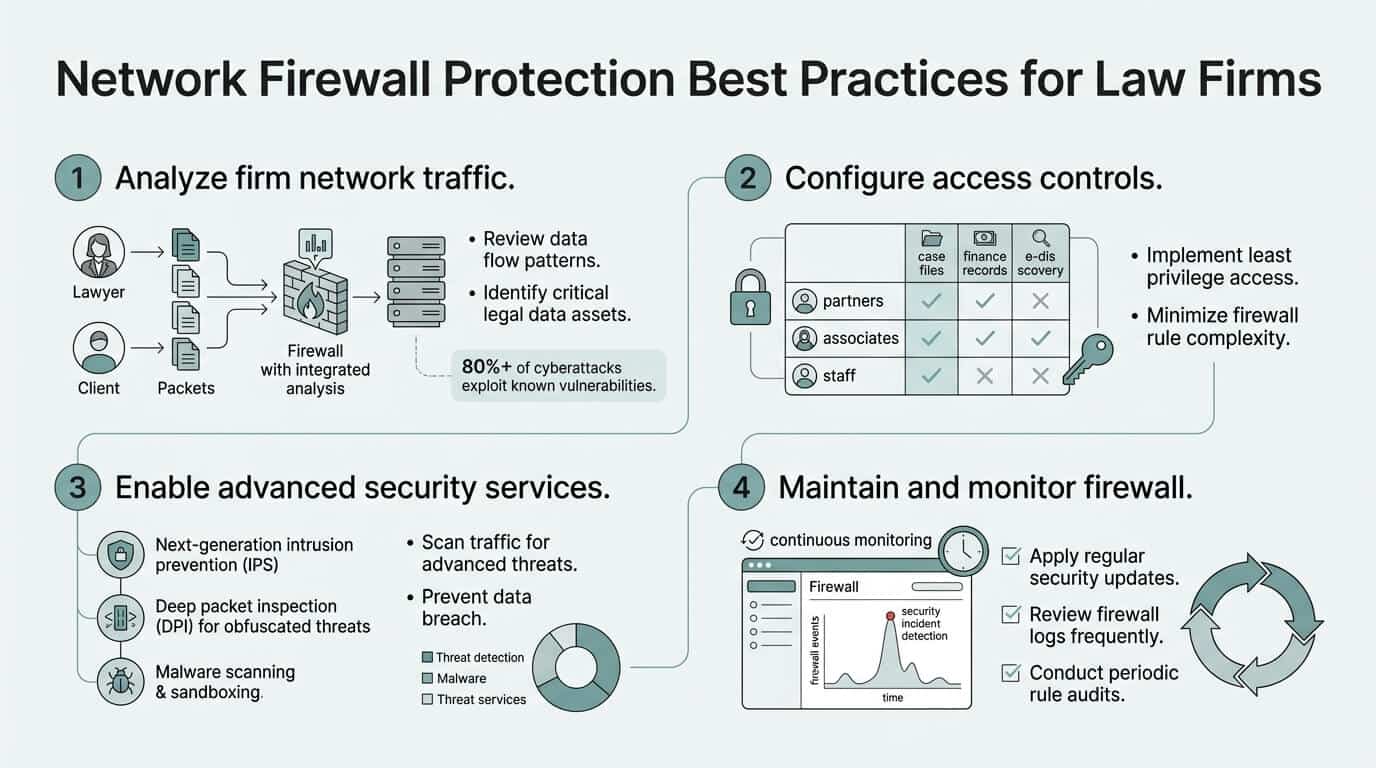
Why Network Firewalls Are No Longer Enough on Their Own
A network firewall is the front-line defense at your firm's perimeter, but it has a critical blind spot. Firewalls filter traffic between your network and the outside world, but 95% of law firm breaches happen because someone inside the firm clicks a malicious link or shares credentials with an attacker. Legacy firewalls stop external intruders but do nothing to prevent an employee from downloading ransomware, responding to a phishing email impersonating a partner, or accidentally exposing client data via misconfigured cloud storage. This is why firms relying solely on firewalls for cybersecurity are experiencing accelerating breach rates. According to recent cybersecurity trends for law firms in 2025, the shift from traditional "castle-and-moat" firewalls to behavioral-based security is no longer optional—it's urgent.
"Firewalls stop external intruders, but they cannot prevent an employee from clicking a phishing link or an insider from mishandling data. Modern security requires both technical controls and human-centric defense strategies." — StrongestLayer Cybersecurity Report, 2025
The Firewall's Role in Defense-in-Depth
A firewall is one layer in a defense-in-depth security stack, not the entire security program. Think of it as the perimeter wall of a medieval castle: it stops some attackers from entering, but intruders who slip past still have free movement inside. A modern firewall for law firms must be paired with endpoint protection (on workstations and laptops), email security, access controls, and network monitoring. The American Bar Association's cybersecurity guide emphasizes that firewalls work best when combined with multi-factor authentication, encryption, and user training. Your firewall blocks known threats at the network edge. Email security stops phishing before it reaches inboxes. MFA prevents stolen credentials from opening doors. Behavioral monitoring detects lateral movement once someone is already inside. Together, these layers create resilience. Deployed alone, each layer is easily bypassed.
A complete defense-in-depth strategy for law firms includes:
- Enterprise-grade perimeter firewall with threat intelligence feeds
- Email security gateway with real-time threat detection
- Multi-factor authentication on all critical systems
- Endpoint detection and response (EDR) on workstations
- Network segmentation and microsegmentation
- 24/7 security monitoring and incident response
- Regular penetration testing and vulnerability assessments
- Employee security awareness training and simulated phishing exercises
Why Human-Centric Threats Bypass Traditional Firewalls
Modern attacks against law firms are human-centric, not infrastructure-centric. An attacker no longer needs to exploit a firewall vulnerability—they send a text message impersonating your CIO asking someone to confirm their password, or they send a PDF that looks like a client engagement letter but contains a malicious macro. Traditional firewalls can't stop these attacks because the attack doesn't involve breaking through a firewall rule; it involves deceiving a human. Email is the primary attack surface for law firms, with phishing and impersonation driving the majority of incidents. The email sits inside your network (past the firewall) and the damage starts from within. This is why 2026 data security guidelines for law firms now prioritize real-time email security, simulated phishing training, and behavioral threat detection over traditional perimeter hardening alone.
"Email is the primary attack vector for law firms, and traditional gateway-only defenses are obsolete. Modern email security must include behavioral analysis, intent-based detection, and sandboxing of suspicious attachments." — Clio Data Security Guidelines, 2026
Designing a Multi-Layered Firewall Architecture for Legal Practices
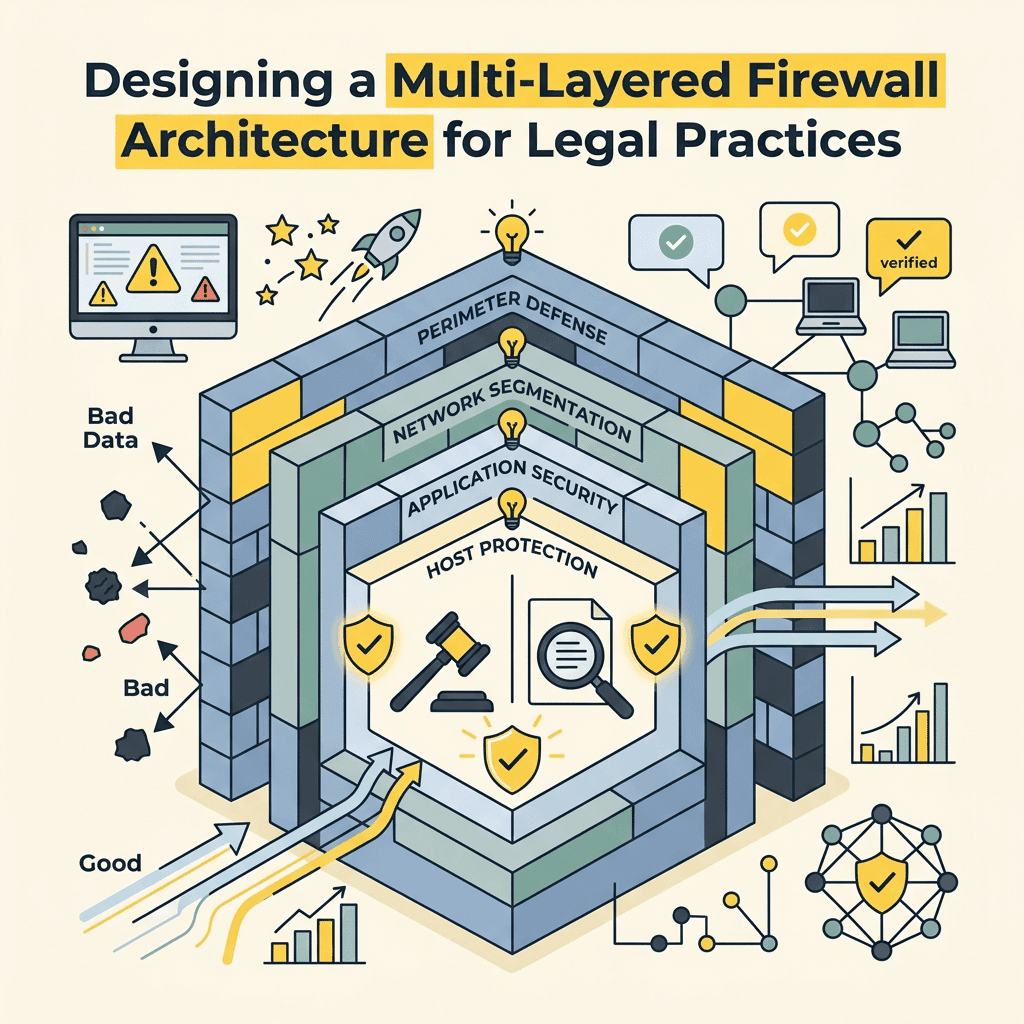
A modern firewall architecture for law firms must protect against external network threats while also constraining internal user access and monitoring for suspicious behavior. The most effective design combines an enterprise gateway firewall, segmented internal networks, behavioral analytics, and real-time monitoring. This approach is sometimes called a "zero-trust" model because it assumes every user and device is a potential threat until proven otherwise. For a mid-sized firm with 20–100 staff, this typically involves deploying an enterprise-grade firewall (not a small-office appliance), segmenting your network into security zones, and integrating threat intelligence feeds. TechWorks conducts network assessments to help law firms identify data sensitivity zones and implement firewalls that support these security domains without slowing network performance for legitimate business traffic.
Network Segmentation and the Zero-Trust Principle
Network segmentation means dividing your internal network into smaller, isolated subnets (VLANs) so that if one segment is compromised, the attacker cannot freely move to other areas. For law firms, the most critical segmentation is separating your general office network from your file server and case management systems. A paralegal's workstation should not have direct access to the primary case file server without going through a firewall rule that logs and validates the connection. This same principle applies to remote workers: a remote employee logging in via VPN should land in a restricted guest network segment, not immediately inside your core network. Implementing zero-trust requires configuring firewall rules that deny traffic by default and allow only specific, pre-approved flows. This is time-intensive but necessary for firms handling confidential client data.
Key components of a zero-trust firewall architecture include:
- Deny-by-default inbound and outbound traffic policies
- Explicit allow rules for approved business applications
- Role-based access control tied to user identity, not IP address
- Network microsegmentation isolating critical data assets
- Real-time monitoring of lateral movement and data exfiltration
- Automatic alerts on policy violations and suspicious behavior
Enterprise Firewalls vs. Small-Office Appliances
Many small law firms use consumer-grade or small-office firewalls (like Ubiquiti or Fortinet FortiGate small models) because they're cheaper. But these appliances lack the threat intelligence feeds, logging granularity, and management interfaces needed to defend against advanced attacks. An enterprise-grade firewall (Fortinet FortiGate 1000+ series, Palo Alto Networks PA-400, or Cisco ASA) costs more upfront but provides centralized threat prevention, sandboxing of suspicious files, and integration with email and endpoint security. The investment typically pays for itself within 18 months because it prevents one breach. For mid-sized law firms in Southern California, working with a managed IT provider like TechWorks—which specializes in enterprise firewall infrastructure and integrates it with proactive monitoring—is often more cost-effective than trying to manage an enterprise firewall in-house with a part-time IT administrator.
| Firewall Type | Best For | Threat Detection | Cost | Recommended Tool |
|---|---|---|---|---|
| Consumer/SOHO Firewall | Very small offices (<10 staff) | Basic stateful filtering; no threat intelligence | $200–$500 hardware | Ubiquiti EdgeRouter, ASUS RT-AX |
| Mid-Market Appliance | Small to mid firms (10–50 staff) | Intrusion detection; limited threat feeds | $1,500–$3,500 hardware + licensing | Fortinet FortiGate 600/700 series |
| Enterprise Gateway Firewall | Mid to large firms (50+ staff) | Advanced threat protection, sandboxing, AI-driven detection | $5,000–$15,000 hardware + annual licensing | Palo Alto Networks PA-400+, Cisco ASA 1000V |
| TechWorks Managed Firewall | Small to mid firms (1–100+ staff) in Southern California | Enterprise-grade threat detection + 24/7 monitoring + automatic updates | $449+/mo for network infrastructure tier | TechWorks Enterprise Firewall Service |
How to Configure Firewalls for Law Firm Security Compliance
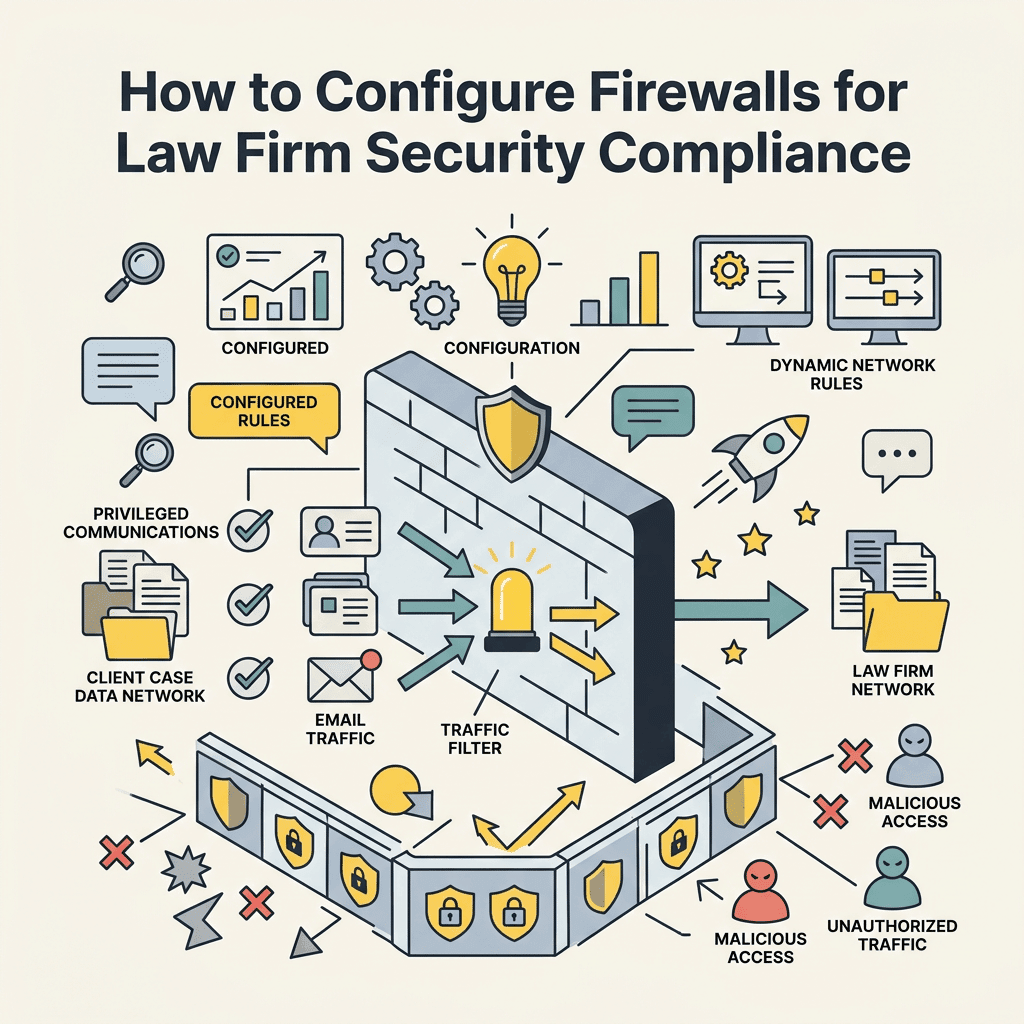
Configuring a firewall for a law firm means setting rules that align with compliance requirements (bar association rules, GDPR, CCPA, data protection obligations) while maintaining usable network performance. A properly configured law firm firewall enforces least-privilege access, blocks known malicious IPs and domains, logs all traffic for audit purposes, and maintains separate security policies for different user roles. This typically involves setting up firewall rules in three tiers: deny-by-default at the perimeter, granular allow rules for approved business traffic, and exception rules for known edge cases. The process requires understanding your firm's data flow: where are case files stored? Who accesses them? What external systems does your firm connect to? What third-party vendors have network access? Every approved flow gets a rule; everything else is blocked.
Establishing Deny-by-Default Rules
The foundational firewall rule for any law firm is "deny by default, allow by exception." This means your firewall starts by blocking all inbound and outbound traffic. You then explicitly allow only the traffic your firm actually needs: email, web browsing (with restrictions), cloud case management access, VPN connections for remote staff, and connections to approved third-party tools like DocuSign or legal billing software. Deny-by-default creates initial friction—your network operations team has to pre-approve every new tool or service—but it prevents employees from accidentally connecting to shadow IT tools, unauthorized cloud storage, or compromised external sites. A common mistake is allowing all outbound traffic "because employees need internet," which negates most of the firewall's protection. Instead, use application-layer filtering to allow HTTP/HTTPS to approved domains while blocking downloads of executables or connections to known malware sites.
Best practices for deny-by-default rule configuration:
- Block all inbound traffic by default; allow only required services (HTTPS, mail, VPN)
- Block all outbound traffic by default; whitelist approved domains and applications
- Restrict protocol use (block P2P, torrenting, unauthorized protocols)
- Enforce geofencing to block access from unexpected countries
- Block suspicious file types and executable downloads
- Monitor and alert on repeated connection attempts to blocked addresses
Restricting Internal Access by Role and Sensitivity
Inside your network, your firewall should enforce role-based access control. A junior associate should not have direct network access to the case file server; instead, they access it through an application-layer gateway that logs every interaction. A receptionist should not be able to access the financial system. A contractor working from a coffee shop should be in a separate, monitored network segment. This is implemented through firewall rules that inspect traffic at Layer 7 (application layer) and match users or device profiles to allowed resources. It requires integrating your firewall with your directory service (Active Directory) so the firewall can make access decisions based on user identity, not just IP address. For firms with dozens of staff, this segmentation is tedious to set up but dramatically reduces the blast radius of a compromise. If an attacker gains access to one person's workstation, the firewall prevents them from laterally moving to the case file vault.
Logging, Auditing, and Firewall Alert Management
A firewall that doesn't log is worthless for compliance or forensics. Your firewall should log every allowed and blocked connection, every failed login attempt, every policy violation. These logs are your audit trail if a breach is discovered; they're also your early warning system if a firewall rule is being triggered repeatedly (a sign of lateral movement or malware trying to phone home). Most firewalls can generate gigabytes of logs daily, so you need a centralized logging solution (a SIEM—Security Information and Event Management tool, or a simpler log aggregator) that ingests these logs, correlates events, and alerts your team if something suspicious happens. For mid-sized law firms, a managed IT provider like TechWorks handles this through proactive cybersecurity monitoring services, which includes real-time alerts when firewall rules are violated or attack patterns are detected. This removes the burden of log analysis from your IT staff and ensures threats are spotted 24/7.
Implementing Multi-Factor Authentication and Access Controls
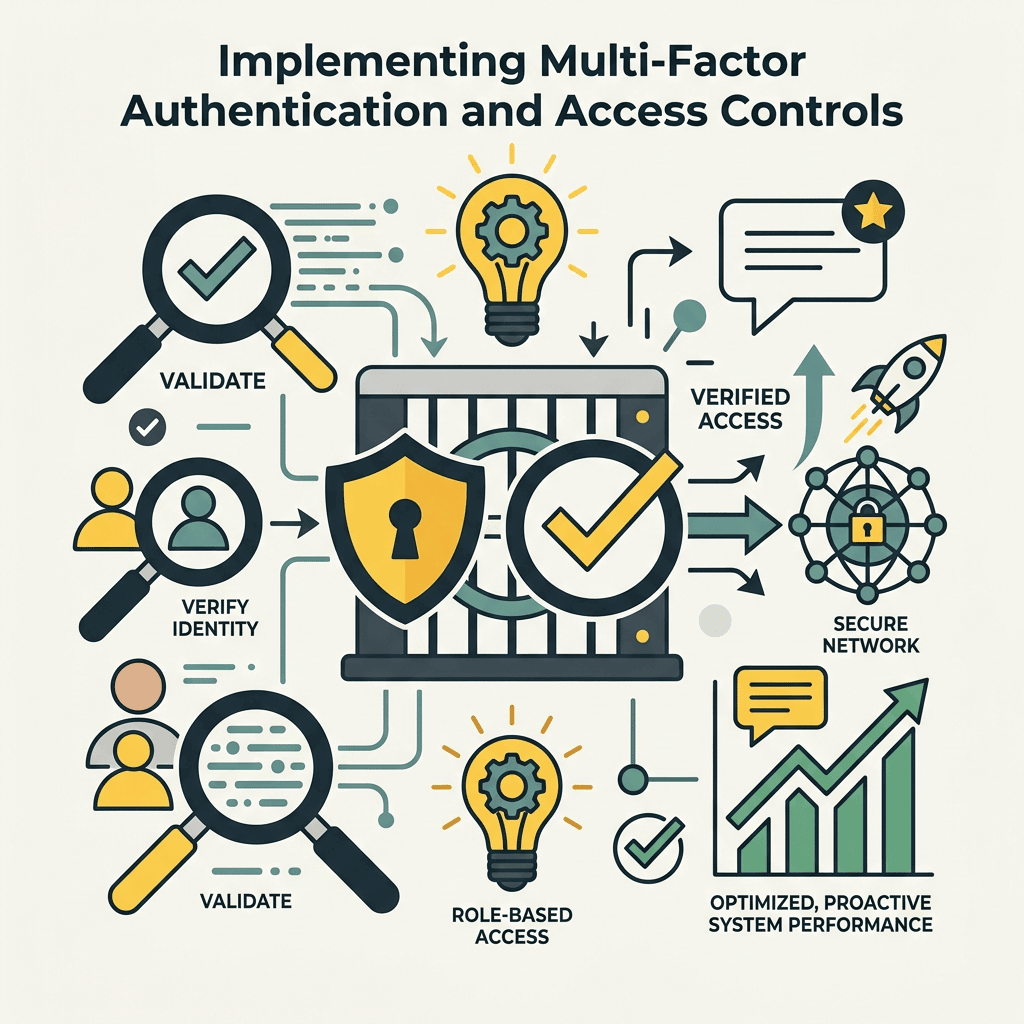
Firewalls protect the perimeter, but access controls protect specific resources. If an attacker obtains a staff member's username and password (via phishing or a data breach at another company), a firewall rule won't stop them from logging in. This is where multi-factor authentication (MFA) becomes critical. MFA requires the user to provide two or more forms of proof: something they know (password), something they have (phone, hardware token), or something they are (biometric). According to the American Bar Association, enabling MFA across all platforms—especially email and case management systems—is non-negotiable for law firms. When combined with firewall rules that restrict login attempts to specific IP ranges and times, MFA creates a second layer of defense that stops credential theft from becoming a full breach.
VPN Security and Remote Access Policies
Remote work is standard for law firms now, but it creates a new firewall challenge: how do you allow secure remote access without exposing your entire network? The answer is a VPN (Virtual Private Network) that acts as a secure tunnel between the remote staff member's device and your network. The VPN connection passes through your firewall and connects to a gateway that sits in a segregated network segment. From there, firewall rules determine what the remote user can access. Critical policy: remote VPN users should not have the same network access as on-site staff. A remote user on a home network (which might be compromised) should land in a guest segment with restricted permissions, not immediately inside your core network. Additionally, the VPN connection should require MFA, and users should be required to use a VPN client that enforces encryption and prevents split tunneling (where traffic could leak outside the VPN).
Remote access firewall requirements for law firms:
- Mandatory MFA for all VPN connections
- VPN client must enforce encryption (AES-256 minimum)
- Split tunneling must be disabled
- Remote users land in isolated guest network segment
- Connection logs reviewed weekly for unauthorized access attempts
- Idle timeout after 30 minutes of inactivity
- Require certificate-based authentication (not password-only)
Vendor and Third-Party Access Management
Law firms work with accountants, IT vendors, cloud providers, and vendors who need access to your network or systems. Each third-party access point is a potential breach vector. Your firewall should enforce the principle of least privilege: a vendor should have access to only the specific service they need, for only the duration they need it, from only the IP addresses you authorize. This is typically done through firewall rules that whitelist specific third-party IPs and restrict them to certain ports and services. Additionally, third-party access should be logged and reviewed monthly. A common compliance mistake is granting a vendor permanent access when they only needed temporary access for a one-time implementation. Regular proactive audits of your firewall rules for dead vendor accounts ensure they're disabled immediately.
Monitoring Firewalls and Detecting Threats in Real Time
A firewall is only as good as your ability to detect and respond when it's being attacked. According to 2025 cybersecurity trends, behavioral-based security and real-time threat detection are now essential; passive log review once a month is no longer sufficient. This means enabling firewall threat prevention features (intrusion detection/prevention), integrating threat intelligence feeds that automatically update your firewall's block list, and setting up automated alerts for policy violations. For law firms, real-time monitoring often means outsourcing to a managed security provider because maintaining 24/7 monitoring in-house requires significant staffing and expertise. TechWorks provides 24/7 firewall monitoring as part of its network infrastructure service tier, including automatic alerts to your team if suspicious activity is detected and rapid response coordination if an incident occurs.
Intrusion Detection and Prevention Systems (IDS/IPS)
An IDS (Intrusion Detection System) analyzes network traffic in real time and alerts your team if it detects attack patterns, buffer overflows, or known malware signatures. An IPS (Intrusion Prevention System) goes further—it not only detects but also actively blocks the malicious traffic. Modern firewalls include both IDS and IPS capabilities. The challenge is tuning these systems so they catch real threats without generating false alarms that desensitize your team. A properly tuned IPS for a law firm should block obvious threats (known malware sites, exploit kits) but alert on suspicious-but-not-definitive traffic (a massive data transfer to an external IP, unusual connection patterns) so your security team can investigate. This requires ongoing tuning based on your firm's normal traffic patterns and the latest threat intelligence.
Threat Intelligence Integration and Automated Updates
Threat intelligence feeds—lists of known malicious IPs, domains, and file hashes—are fed into your firewall so it can block connections to known attacker infrastructure. These feeds are constantly updated as new threats emerge. Your firewall should be configured to download these feeds at least daily (ideally hourly) from reputable sources like the SANS Internet Storm Center, Proofpoint, or threat feeds built into your firewall vendor's platform. This ensures your firewall's block list stays current without manual intervention. Many firms also benefit from threat intelligence sharing with their IT vendor or managed security provider, who can provide firmware updates and rule changes within hours of a new threat being discovered.
Incident Response Coordination and Rapid Containment
When a firewall alert triggers, rapid response is critical. The first 30 minutes of a breach often determine whether the incident is contained to one compromised workstation or spreads firm-wide. Your firewall should be configured to feed alerts to a central monitoring platform or your IT team's ticketing system so nothing is missed. Your incident response plan should include: a list of who to contact when an alert fires, what initial investigation steps to take, when to escalate to senior partners, and when to notify cyber insurance and legal counsel. Many law firms lack incident response plans (only 34% have them, according to Programs.com 2025 data), which is why 65% of firms don't understand their legal obligations post-breach. Developing an incident response plan and conducting tabletop exercises (simulated breach scenarios) before an actual incident occurs vastly improves your firm's ability to respond when a real breach happens.
Conclusion
Network firewall protection for law firms is no longer about buying the biggest appliance and hoping it stops attackers. Modern threats bypass traditional firewalls by exploiting human behavior, so your firewall strategy must be paired with behavioral monitoring, real-time email security, access controls, and 24/7 incident response. The statistics are stark: law firms face average breach costs of $5.08 million, 95% caused by human error, and only 34% of firms have incident response plans. A properly designed firewall architecture—combining enterprise-grade hardware, deny-by-default rules, network segmentation, MFA, and continuous monitoring—reduces your breach risk dramatically and ensures that when an incident does occur, your team can respond in minutes instead of days. For small to mid-sized law firms in Southern California that lack dedicated IT staff, working with a managed IT provider like TechWorks removes the burden of firewall design, implementation, and 24/7 monitoring, letting you focus on your practice instead of infrastructure. TechWorks provides enterprise firewall services, proactive network monitoring, and incident response coordination as part of its managed IT suite. Get started today with a free network security assessment.