
Table of Contents
Growing businesses face a critical performance bottleneck: as operations scale, systems that once ran smoothly start to strain. 66% of businesses have implemented some automation, but only 4% are fully automated, leaving the majority struggling with inefficiency gaps that directly erode profitability. Even worse, inefficiency can cost companies up to 30% of their annual revenue. For small to mid-sized operations, this translates to missed growth opportunities, frustrated teams, and IT costs that spiral out of control. The solution isn't complex—it's systematic optimization of infrastructure, workflows, and maintenance practices to keep pace with growth.
Key Takeaways
- 78% of organizations achieve ROI within 6 months of implementing optimized workflows (2025, Anchorgroup)
- Advanced analytics drive 15–20% efficiency gains and 45% customer satisfaction increases for growing teams
- Proactive system monitoring and maintenance prevent downtime that costs SMBs thousands per incident
- Infrastructure Auditing: Identify bottlenecks in servers, workstations, and network performance before they cascade into downtime.
- Proactive Maintenance Practices: Regular patching, updates, and monitoring prevent 80% of common performance issues.
- Scaling Database and Backup Performance: Optimize query efficiency and backup windows to maintain speed during growth phases.
- Security and Performance Integration: Implement firewalls and anti-malware that protect without creating latency.
- Managed IT Oversight: 24/7 monitoring and response eliminate manual firefighting and keep systems predictable.
How Do Bottlenecks Form in Growing Business Systems?
Performance degradation in growing businesses rarely happens overnight. Organizations in partial automation states—the 62% caught between zero and full automation—experience cascading slowdowns from legacy processes, undersized infrastructure, and ad-hoc maintenance. Most SMBs inherit IT systems built for 20 people, then suddenly operate with 50, 100, or more. Databases that were fast with 10,000 records buckle under a million. Backup routines that took 2 hours now stretch to 6. Network bandwidth that served casual web browsing gets strangled by cloud application traffic.
"Organizations in partial automation states experience cascading slowdowns from legacy processes, undersized infrastructure, and ad-hoc maintenance. Without visibility into these patterns, IT teams spend their time reacting to crises instead of preventing them."
The root cause is rarely a single point of failure. It's usually the compounding effect of unmonitored system drift: unpatched vulnerabilities bog down performance, fragmented workstations slow down file access, overloaded servers process requests in queues instead of real-time, and backup windows expand into business hours. Without visibility into these patterns, IT teams spend their time reacting to crises instead of preventing them. Research on workflow optimization statistics reveals that the gap between partial and full automation is where most growing businesses lose efficiency. That's why IT Infrastructure Monitoring and proactive diagnostics are the foundation of growing business success.
The Cost of Reactive IT Management
Reactive IT—fixing problems only after they break—is the most expensive way to run a business. A single hour of system downtime costs mid-sized businesses $5,000 to $150,000 depending on industry, according to recent benchmarks. But the hidden cost is worse: teams working around broken systems lose 15–20% of productive capacity before anyone even notices an outage. Small IT fixes that take 10 minutes with advance planning require 2–3 hours of emergency response once a crisis hits. This unpredictability forces IT staff to stay in "panic mode," unable to plan strategic improvements that would actually drive growth.
Scaling Pains: Infrastructure That Can't Keep Up
Growth without infrastructure planning creates a predictable cycle: rapid hiring overwhelms network capacity, database queries slow to a crawl, backup windows creep into production hours, and security scans consume CPU resources during peak usage. Many growing businesses compound this by keeping old equipment longer than it should run or by scaling server resources without optimizing the applications that use them. The result is expensive hardware doing inefficient work. Proactive Maintenance & Managed Services prevent this by ensuring your infrastructure grows in lockstep with your team.
"Many growing businesses discover they're actually leaving performance on the table—the infrastructure is capable, it's just misconfigured. Quick wins in database optimization and workstation cleanup can deliver 40–50% performance improvements within days."
What Are the Core Areas of System Performance to Optimize?
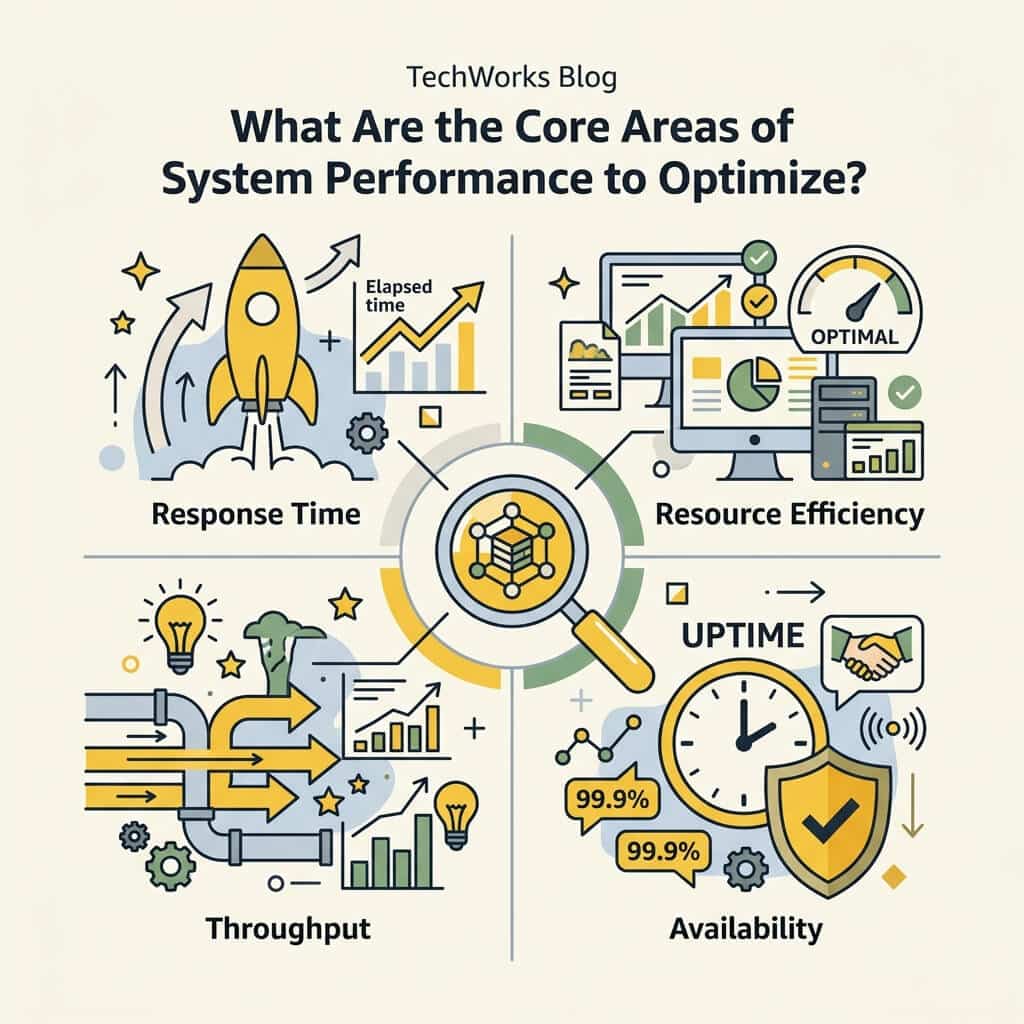
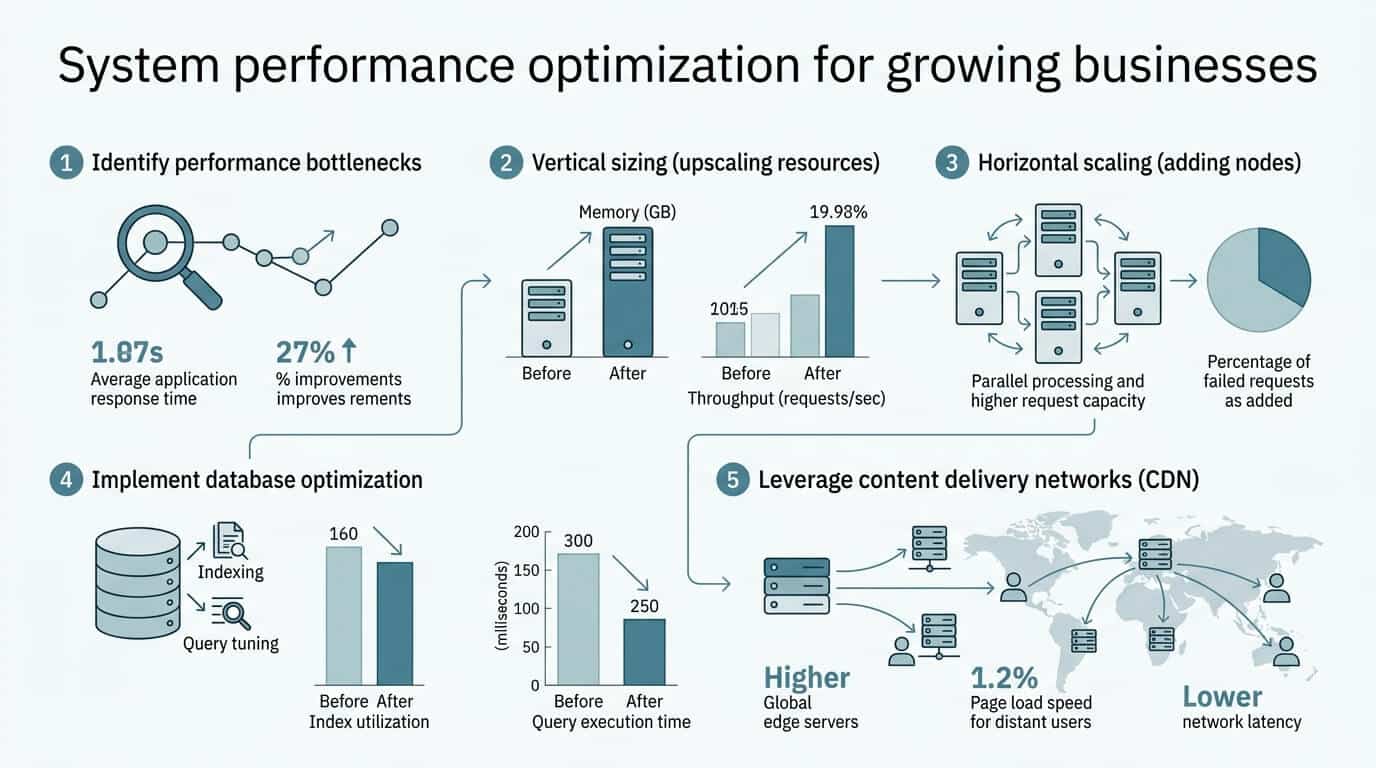
System performance isn't a single metric—it's a constellation of factors that work together. For growing businesses, optimization focuses on the areas that have the biggest impact on daily operations and employee productivity. Research from performance management experts shows that organizations using advanced analytics improve operational efficiency by 15–20% while seeing 45% gains in customer satisfaction. But that improvement only happens when you focus on the right performance pillars, according to systems optimization best practices.
Server and Database Performance
Servers are the backbone of any growing business—they host your data, run your applications, and handle all the background tasks that keep operations moving. As businesses scale, server performance directly determines how fast employees can access files, how quickly cloud applications respond, and how reliable your business continuity is. Database optimization alone can cut query times in half, allowing your server to handle 2x the load with the same hardware. For growing businesses, this means avoiding expensive infrastructure upgrades by making existing systems work harder. Server Care & Recovery Solutions include regular index optimization, query analysis, and performance tuning to keep databases lean and responsive.
Workstation and Network Optimization
Your team's productivity is limited by the speed of their devices and the network that connects them. Workstations clogged with unnecessary software, outdated drivers, and fragmented storage slow down daily work. Network congestion from unmanaged bandwidth usage or poor routing creates bottlenecks that frustrate teams and damage morale. Workstation optimization includes regular patching, disk cleanup, memory optimization, and driver updates—tasks that are trivial individually but compound dramatically when multiplied across 50+ devices. Growing businesses need systematic approaches to keep workstations fast without requiring each employee to troubleshoot their own machine.
Backup and Disaster Recovery Speed
Backups are mandatory, but slow backups are a hidden tax on growing businesses. Backup windows that extend into business hours consume server resources and network bandwidth at the worst possible times. Many SMBs discover this problem only when a backup runs during peak trading hours and grinds file access to a halt. Optimized backup strategies use incremental backups, off-peak scheduling, and compression to minimize impact while ensuring data is always recoverable. Business Data Backup Solutions are tailored to each organization's RPO (recovery point objective) and RTO (recovery time objective), ensuring you're protected without sacrificing daily performance.
Security Without Performance Sacrifice
This is the tension every growing business faces: security and performance feel like opposites. Firewalls, anti-malware, and intrusion detection systems all add latency. But poorly secured systems get breached, which creates far worse downtime. The optimization here is choosing enterprise-grade security tools that are specifically tuned for SMB networks—systems that protect without creating overhead. Advanced threat detection that runs in the background, encryption that happens transparently, and firewalls that use modern algorithms instead of heavy inspection rules all contribute to security that doesn't sabotage speed.
"Enterprise-grade security tools specifically configured for SMB networks eliminate the false choice between protection and performance. Advanced threat detection, transparent encryption, and modern firewall algorithms enable security at scale without creating latency overhead."
How Should Growing Businesses Measure System Performance?
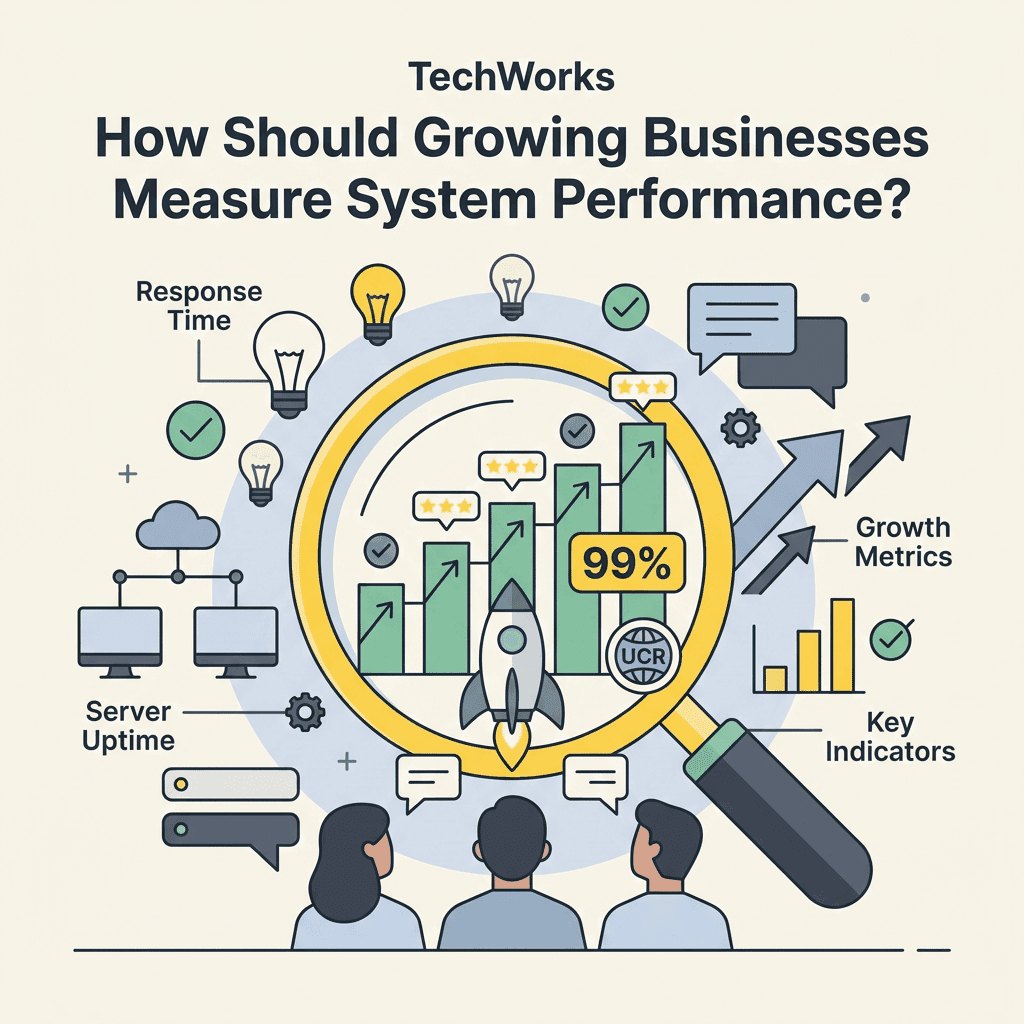
What gets measured gets managed. Without clear performance metrics, growing businesses either over-invest in infrastructure that sits idle or under-resource systems that fail repeatedly. The key is monitoring the metrics that actually matter to business operations, not just the technical specs that look good on a report. Performance management ROI ranges from 180% to 340% over 18 months for organizations that establish clear KPIs and track them consistently.
Critical Performance Indicators for SMBs
Start with metrics that directly impact user experience and business continuity. Response time percentiles—specifically P50, P95, and P99—tell you how fast systems are for typical users and for your slowest transactions. A P99 response time of 8 seconds means 1% of users are waiting that long, which matters for customer-facing operations. Throughput (requests per second) shows how much load your infrastructure can handle. CPU and memory usage under peak load reveal bottlenecks before they become crises. Backup completion time tells you if you're at risk of downtime during recovery. Application availability percentage (uptime) is the ultimate metric—if systems aren't available, nothing else matters.
- Response Time (P50/P95/P99): How fast do applications respond? Track percentiles, not just averages.
- Throughput (requests/second): How much load can your infrastructure handle simultaneously?
- CPU and Memory Usage: Are systems running headroom for growth, or maxed out?
- Backup Completion Time: Can backups finish without impacting business hours?
- System Availability (Uptime): What percentage of time are critical systems actually available?
- Security Events and Response Time: How many threats are detected, and how quickly are they resolved?
Creating Dashboards That Drive Action
Raw metrics are worthless if no one is watching them. Growing businesses need real-time dashboards that alert teams to problems before users notice them. The best approach is tiered alerting: green for healthy, yellow for warning (approaching thresholds), red for critical (immediate action needed). When a database query response time creeps from 200ms to 800ms, that's a yellow alert—it's time to investigate before it hits red at 3 seconds. TechWorks provides IT Infrastructure Monitoring that surfaces these patterns automatically, eliminating the need for IT staff to manually check dashboards constantly.
What Optimization Strategies Deliver the Fastest ROI?

Not all optimization efforts are created equal. 78% of organizations achieve ROI within 6 months by implementing optimized workflows, but only if they prioritize the highest-impact changes first. Growing businesses are often resource-constrained—they can't optimize everything at once. The smart approach is to focus on the 20% of changes that address 80% of performance problems, then move to the next tier.
Quick-Win Optimizations (30 Days or Less)
Start here. These changes require minimal investment and often deliver immediate results. Database index optimization typically takes hours but can cut query times by 50% or more. Disk cleanup and deduplication across workstations frees capacity and improves file access speed. Disabling unnecessary startup services reduces boot times and frees memory. Adjusting backup timing to run during low-traffic windows eliminates daytime performance hits. Many growing businesses discover they're actually leaving performance on the table—the infrastructure is capable, it's just misconfigured. These quick wins build momentum and free up budget for larger initiatives.
Medium-Term Improvements (1-3 Months)
Once quick wins are captured, address structural issues. Upgrade undersized servers or add read replicas to split database load. Implement CDNs for distributed offices or remote teams to reduce latency. Segment network traffic to prevent one slow application from congesting bandwidth for critical systems. Migrate file storage to cloud services that scale elastically rather than maintaining expensive on-premises capacity. Roll out patch management automation so security updates don't require manual IT intervention. These improvements typically cost $3,000 to $15,000 per business but deliver 6–12 month payback periods through reduced downtime and improved productivity.
Strategic Initiatives (Ongoing)
The most sophisticated optimization strategies align IT infrastructure with business growth plans. Capacity planning that forecasts growth 12–18 months ahead prevents the "we were fine last month and now we're maxed out" crises. Migration to cloud-native architectures allows infrastructure to scale automatically with demand rather than requiring manual upgrades. Implementing Cloud Business Solutions eliminates the burden of maintaining on-premises hardware entirely, letting growing businesses shift focus to their actual business. Process automation in IT itself—auto-scaling, self-healing infrastructure, automated backups—reduces the IT workload required to maintain growing systems.
| Optimization Type | Timeline | Investment | ROI Impact |
|---|---|---|---|
| Quick-Win (Index Tuning, Cleanup) | 30 days | $500–$2,000 | 40–50% query improvement |
| Medium-Term (Capacity Upgrades) | 1–3 months | $3,000–$15,000 | 50–70% uptime improvement |
| Strategic (Cloud Migration, Automation) | 3–6 months | $15,000–$50,000 | 60–80% IT labor reduction |
| Managed IT Services (Ongoing) | Continuous | $99–$599/month per device | 99% uptime, zero downtime crises |
How Does Managed IT Support Accelerate System Optimization?
Growing businesses face a choice: hire in-house IT staff to manage optimization, or partner with a managed IT services provider. The economics almost always favor the latter, especially for businesses under 100 employees. Building an in-house IT team requires hiring 2–3 people, spending $120,000–$180,000 annually in salary alone, and managing turnover. A managed IT provider gives you the equivalent expertise on-demand, without the overhead.
24/7 Monitoring Catches Problems Before They Become Crises
Most downtime is preventable. If a server disk is filling up, that's a known issue days before it causes an outage. If a database is being queried inefficiently, that shows up in logs hours before users complain. But catching these patterns requires continuous monitoring and deep expertise. Managed IT services use automated monitoring across all systems—servers, workstations, networks, applications—and alert specialists the moment something drifts from baseline. This transforms IT from reactive firefighting into predictive maintenance. For a growing business, this difference is game-changing: instead of IT staff fielding help desk tickets all day, they're working on strategic improvements that actually enable growth.
Proactive Patching and Maintenance Eliminate Downtime
Security vulnerabilities and performance bugs are released constantly. Every unpatched system is a liability and a performance risk. But patching every workstation manually is an IT nightmare, especially across distributed teams. Managed IT providers handle patching as a background service: updates are tested in a staging environment, deployed during maintenance windows, and automatically rolled back if they cause issues. This eliminates the "we need to patch 47 workstations this month" crisis. Employees get security fixes they don't even notice, and performance stays consistent.
Infrastructure Capacity Planning Built In
TechWorks provides IT Infrastructure Project Management that anticipates growth. By monitoring usage trends, our specialists can forecast when you'll need additional server capacity, network bandwidth, or storage—then plan upgrades during downtime windows instead of emergency escalations. This prevents the scenario where you're growing 20% per quarter, but your infrastructure can only scale in 50% jumps. Growing businesses get infrastructure that grows with them, not a system that suddenly fails under new load.
Security That Scales Without Performance Penalty
Firewalls, antivirus, and intrusion detection are non-negotiable. But poorly implemented security creates the latency that drives businesses to skip it. Managed IT services deploy enterprise-grade security tools specifically configured for SMB networks. That means advanced threat detection that runs in the background, encryption that happens transparently, and firewalls that use modern algorithms instead of consuming CPU cycles. Cyber Security & Anti-Virus protection that grows with your business, without becoming a performance anchor.
Conclusion
System performance optimization for growing businesses is not a one-time project—it's a continuous practice of measurement, improvement, and adaptation. Businesses that nail this deliver better customer experiences, reduce downtime crises, and free up IT resources for strategic work instead of reactive fixes. The opportunity is significant: 78% of organizations see ROI within 6 months of implementing optimized workflows, and the efficiency gains compound over time. Growing businesses simply cannot afford to run on systems built for their past size.
The most successful approach combines strategic optimization initiatives with managed IT oversight that keeps systems running predictably. Rather than hiring IT staff or struggling with break-fix support, growing businesses partner with providers like TechWorks that combine 24/7 monitoring, proactive maintenance, and infrastructure planning into a single managed service. With plans starting at $99/month for workstation maintenance and $449/month for network and security infrastructure, managed IT is more affordable than hiring even one part-time technician.
Start with an audit of your current infrastructure performance—where are bottlenecks happening, what's your actual uptime, and where are you losing productivity? Then prioritize the quick wins that can be addressed in 30 days, while planning medium and long-term optimization initiatives. Get started today with TechWorks to transform your system performance from a liability into a competitive advantage.