
Table of Contents
- What Is the Difference Between Backup and Disaster Recovery?
- How Do Recovery Time Objective (RTO) and Recovery Point Objective (RPO) Affect Your Strategy?
- What Are the Key Components of a Disaster Recovery Plan?
- How Should You Implement Backup and Disaster Recovery for Your Business?
- Comparison of Backup and Disaster Recovery Solutions for Small Business
- What Are Common Mistakes Businesses Make With Backup and Disaster Recovery?
- Conclusion
A single server failure or ransomware attack can cost small businesses $5,600 to $22,000 per hour in downtime losses alone. What's worse: 93% of companies experiencing prolonged data loss go bankrupt within five years, and 58% of backups fail when actually needed for recovery. Most small businesses operate without any formal backup or disaster recovery plan, leaving them exposed to catastrophic data loss, extended downtime, and financial ruin. The solution isn't just having backups; it's having a tested, reliable disaster recovery strategy that keeps your business running when failure strikes.
Key Takeaways
- 93% of companies experiencing prolonged data loss go bankrupt, making backup and recovery non-negotiable for business survival (Infrascale, 2025)
- 58% of backups fail during actual recovery attempts, highlighting the critical need for tested, validated disaster recovery procedures
- Organizations experience an average of 86 outages per year, with downtime costs ranging from $1,410 per minute for small businesses to $100,000 per hour during critical outages
- Understanding Backup vs. Disaster Recovery: Backup is data protection; disaster recovery is full business restoration, and you need both.
- The 3-2-1 Backup Rule: Three copies of data on two different media types, with one offsite copy, prevents catastrophic data loss.
- Recovery Time Objectives (RTO) and Recovery Point Objectives (RPO): Define acceptable downtime and data loss to guide solution selection.
- Implementing Tested Disaster Recovery Plans: Quarterly recovery drills validate that your backup strategy actually works when you need it.
- Managed IT Solutions for Hands-Off Protection: Outsourced disaster recovery reduces the burden on small teams lacking dedicated IT staff.
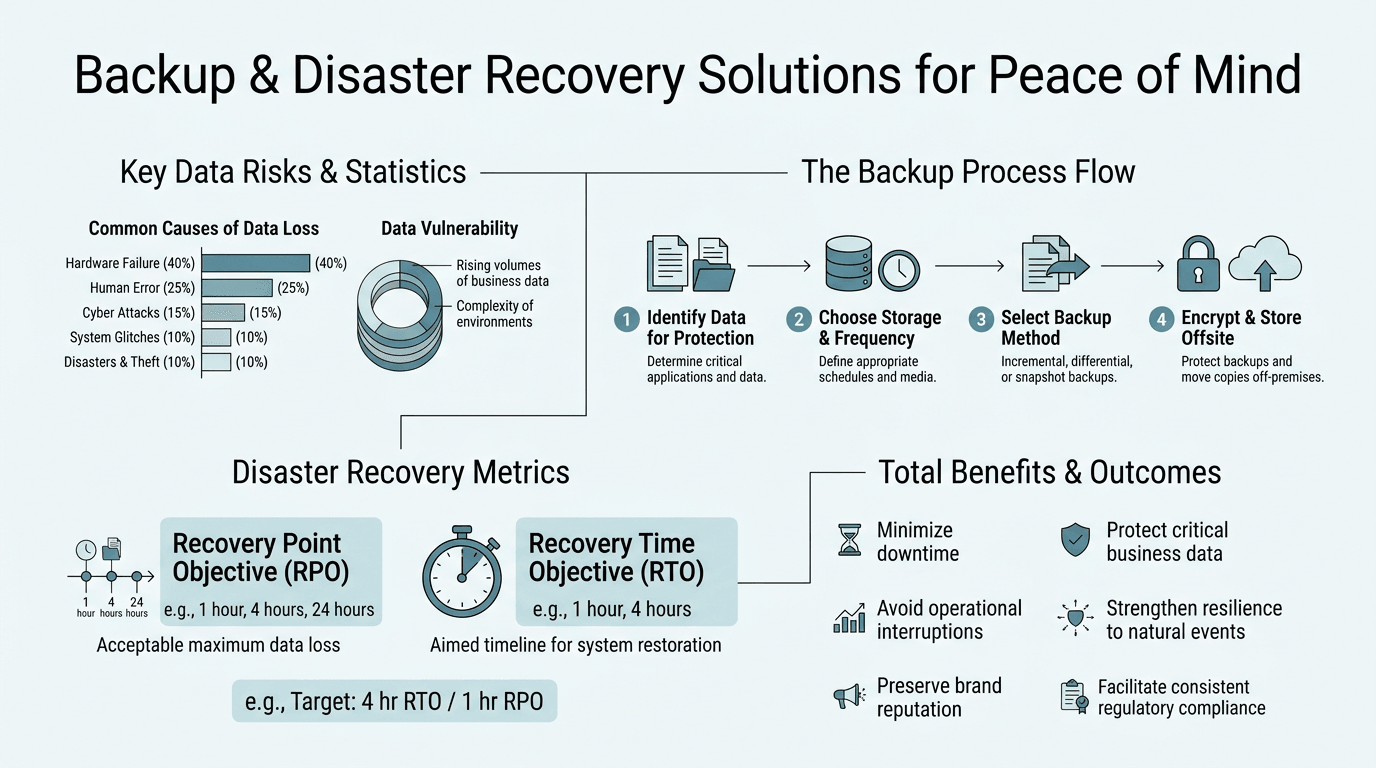
What Is the Difference Between Backup and Disaster Recovery?
Many business owners use the terms "backup" and "disaster recovery" interchangeably, but they serve fundamentally different purposes. Backup is the process of regularly copying critical data to a separate location. Disaster recovery is the broader strategy for restoring your entire business operations, servers, applications, networks, and data after a catastrophic failure. You can have solid backups and still lack effective disaster recovery, which is why 40% of small businesses have no backup plan at all. Without a tested recovery process, those backups become useless when you actually need them.
Backup: Data Protection at Its Core
Backups create redundant copies of your critical files, databases, and configurations. A backup system should capture data continuously or at regular intervals, store copies in multiple locations, and ensure those copies are accessible and uncorrupted. The industry standard is the 3-2-1 rule: maintain three copies of your data, on two different media types (e.g., on-site NAS and cloud storage), with one copy stored offsite. This approach protects against hardware failure, accidental deletion, ransomware encryption, and site-wide disasters. Many small businesses fail at this fundamental step, storing all backups in one location or relying on a single backup tool that hasn't been tested.
Disaster Recovery: Full Business Continuity
Disaster recovery is the orchestrated response to restore your entire business after a failure. This includes recovering servers, rebuilding network configurations, restoring database connectivity, and bringing applications back online in the correct sequence. A DR plan documents which systems recover first, how long each should take, and who is responsible for each step. The difference between backup and DR is like the difference between having a fire extinguisher (backup) and having a complete emergency response plan including building evacuation, emergency contacts, and re-entry procedures (disaster recovery). Infrascale's research shows that 30.2% of technology leaders cite backup as the single most important step in preventing data loss, but those same leaders often struggle to execute the full recovery process when time is critical.
Why Both Matter for Business Continuity
A backup without a disaster recovery plan is incomplete insurance. Consider a scenario: your office experiences a physical disaster, fire, flooding, or theft and all your on-premises servers are destroyed. You have backups in the cloud, which is good. But do you have the procedures, access credentials, and tested processes to restore those backups to alternative infrastructure? Do you know which systems must come online first to keep the business running? Can your team execute the recovery plan under pressure? These questions separate companies that recover quickly from those that experience weeks of downtime. Organizations using comprehensive server care and recovery solutions gain both backup protection and validated recovery procedures, ensuring business continuity when failures occur.
How Do Recovery Time Objective (RTO) and Recovery Point Objective (RPO) Affect Your Strategy?
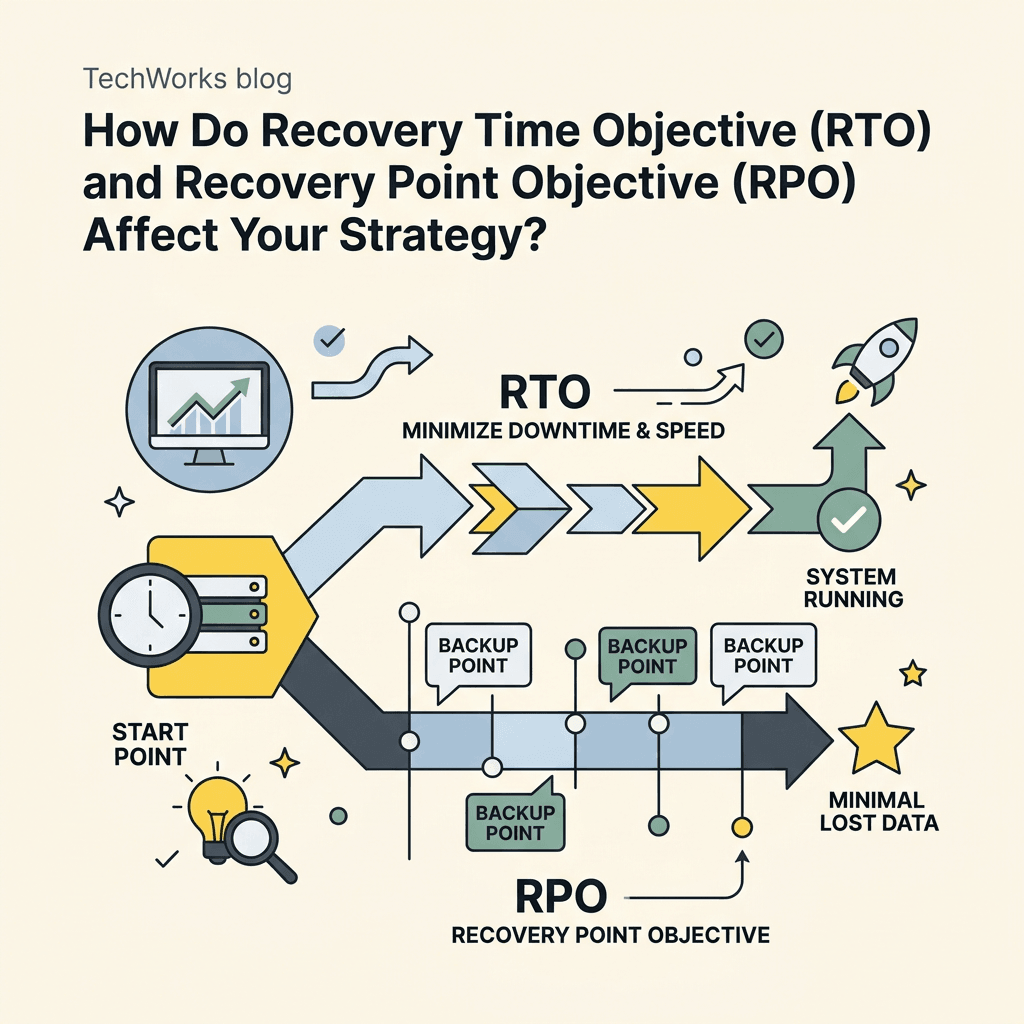
Two critical metrics define your disaster recovery needs: Recovery Time Objective and Recovery Point Objective. These aren't just buzzwords; they directly determine which solutions you need and how much you should invest in redundancy. An e-commerce business might need systems online within 15 minutes; a law firm might tolerate 4 hours. Understanding your tolerance for downtime and data loss is the foundation of an effective backup and disaster recovery strategy.
Recovery Time Objective (RTO): The Downtime Clock
RTO is the maximum amount of time you can afford for critical systems to be unavailable. If your business loses $1,410 per minute during an outage, then bringing servers online within 1 hour saves $84,600 compared to a 2-hour recovery. RTO varies dramatically by industry and business size. A healthcare provider might have an RTO of 30 minutes; a manufacturing facility might target 2 hours. Smaller businesses with minimal IT overhead often have longer RTOs simply because manual recovery takes time. This is where managed IT solutions provide significant advantage: automated backup and disaster recovery solutions reduce RTO from hours to minutes by orchestrating recovery automatically rather than requiring manual intervention.
Recovery Point Objective (RPO): Data Loss Tolerance
RPO is the maximum acceptable data loss, measured as a point in time before the disaster. If your RPO is 1 hour, you're accepting that you might lose up to 1 hour of data (email, transactions, file changes). If your RPO is 4 hours, you could lose an entire morning of work. RPO is typically determined by how frequently you can afford to repeat work and how critical real-time data is to your operations. A financial services firm might require an RPO of 15 minutes; a marketing agency might accept 24 hours. The problem: many small businesses operate with an RPO of "however long since the last backup," which could be days or weeks. Continuous backup and real-time replication solutions reduce RPO to near-zero, but they cost more.
Balancing RTO and RPO with Budget Constraints
Every business wants zero RTO and zero RPO; instant recovery with no data loss. Reality demands compromise. Faster RTO and tighter RPO require more investment in redundant infrastructure, real-time replication, and automated failover. A business with $9,000-$22,000 hourly downtime costs should invest in solutions with aggressive RTO targets (under 1 hour); a business with lower downtime impact can tolerate longer recovery windows. Most small to mid-sized businesses find an optimal balance around a 4-hour RTO and 1-hour RPO. This means critical data is backed up every hour, and recovery is designed to take no more than 4 hours. Managed IT providers like TechWorks help businesses define realistic RTO and RPO targets based on downtime costs, then implement solutions that achieve those targets cost-effectively.
What Are the Key Components of a Disaster Recovery Plan?
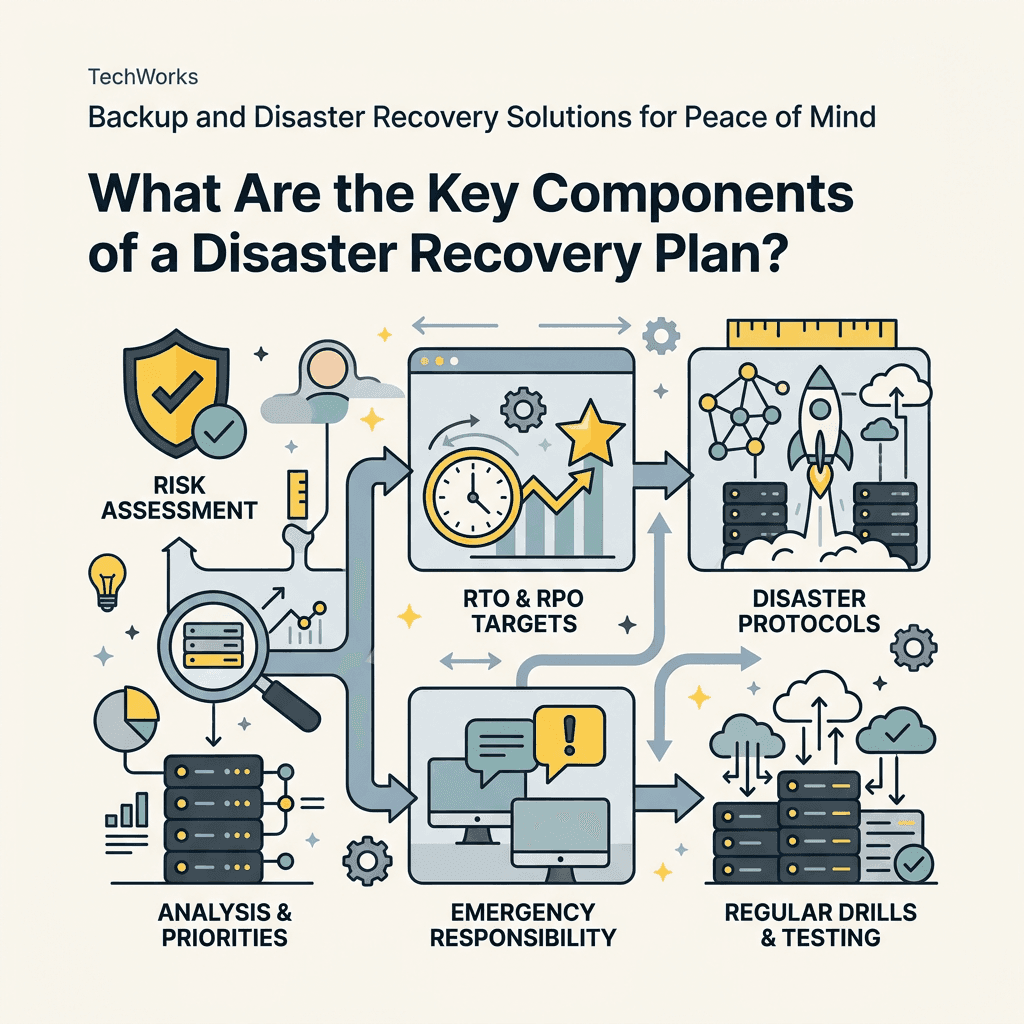
A disaster recovery plan is not a document that sits on a shelf. It's a living, tested strategy that guides rapid response when failures occur. The most common mistake is confusing a DR plan with a backup solution. Backups are one component but a complete plan includes documentation, procedures, assigned responsibilities, regular testing, and clear communication protocols. Organizations that conduct quarterly disaster recovery drills are far more likely to recover successfully than those relying on untested procedures.
Critical System Inventory and Prioritization
Start by cataloging all systems: servers, databases, applications, endpoints, network infrastructure, and cloud services. Not all systems are equally critical. A law firm's case management system is mission-critical; the office printer is not. Rank systems by business impact and classify them into tiers: Tier 1 systems must be online within hours; Tier 2 systems within 24 hours; Tier 3 systems can wait days. This prioritization ensures recovery efforts focus on what matters most during the chaos of an actual incident. Many small businesses never complete this step, attempting to recover everything simultaneously, which delays critical services and wastes recovery resources.
Documented Recovery Procedures and Role Assignments
A disaster recovery plan must document step-by-step procedures for recovering each critical system. This includes: Which administrator executes the recovery? What systems must be online first? Are there specific IP addresses, DNS settings, or authentication details needed during recovery? What vendor contacts are required? Written procedures eliminate confusion and debate during high-stress recovery situations. Each procedure should include expected recovery times, dependencies (e.g., "Database must be online before Application X"), and validation steps (e.g., "Run test transaction to verify application is functional"). Assign specific people to specific recovery roles; communication lead, infrastructure recovery lead, application recovery lead, executive notification, so responsibilities are clear.
Regular Testing and Validation
This is the critical step most businesses skip. 58% of backups fail when actually tested for recovery, and the only way to discover this is to simulate a full disaster recovery scenario. Quarterly recovery drills should include: (1) Restoring backups to alternative infrastructure (not your production environment); (2) Bringing systems online in priority order; (3) Validating that applications function correctly; (4) Measuring actual recovery time against RTO targets. These drills reveal gaps in procedures, missing documentation, overlooked dependencies, and outdated contact information. Businesses that test quarterly are prepared; those that don't often discover catastrophic failures when an actual disaster occurs.
How Should You Implement Backup and Disaster Recovery for Your Business?
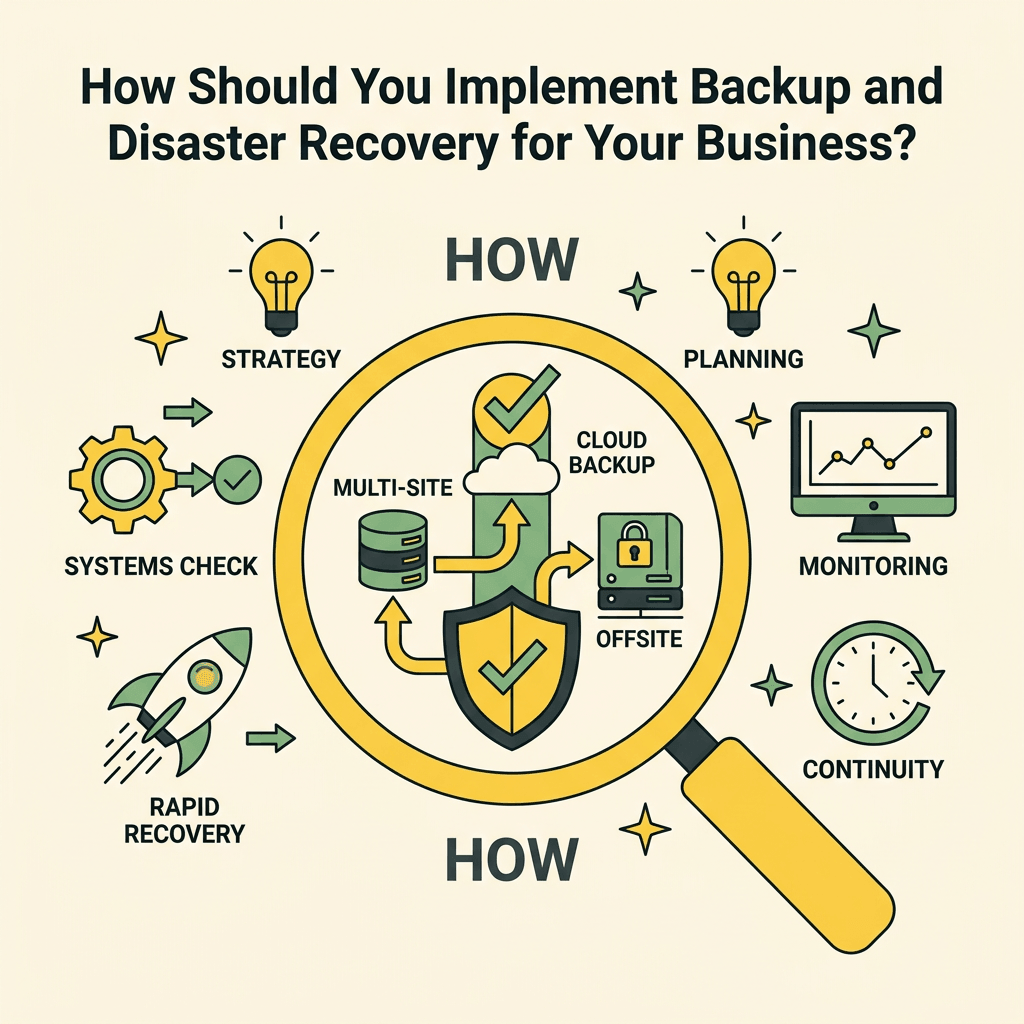
Implementation depends on your business size, budget, IT staff availability, and risk tolerance. A one-person operation has different needs than a 50-person firm. The key is matching your solution to your actual requirements rather than over-investing in unnecessary redundancy or under-investing and gambling with business continuity. Most small businesses benefit from a hybrid approach: automated backups managed by a professional service provider, combined with tested recovery procedures and clear escalation paths.
The 3-2-1-1 Rule for Modern Backup Architecture
The traditional 3-2-1 rule (three copies, two media types, one offsite) remains foundational, but modern ransomware attacks necessitate an update: 3-2-1-1, which adds a fourth component; immutable backups. This means one copy must be stored in a format that cannot be encrypted or deleted, even by an attacker with administrative access. Immutable backups are typically stored in cloud object storage with write-once retention policies, or on tape, which cannot be remotely encrypted. This protects against ransomware attacks that compromise your primary backup infrastructure. Research on SMB downtime costs shows that ransomware recovery averages $1.53 million, making immutable backups a necessary investment for any business handling sensitive data.
Backup Strategy Across Systems: Endpoints, Servers, and Cloud
A comprehensive backup strategy covers three layers:
- Endpoint Backups: Employee laptops and desktops contain critical files, email, and project data. Automated endpoint backup solutions capture file changes continuously or at set intervals, protecting against hardware failure, malware, and accidental deletion.
- Server and Database Backups: On-premises servers, databases, and virtual machines require frequent, validated backups. Database backups demand special attention; they must be crash-consistent and regularly tested for restore integrity.
- Cloud and SaaS Backups: Microsoft 365, Google Workspace, and other SaaS applications contain critical data but offer limited native backup and recovery capabilities. Third-party SaaS backup solutions are essential to prevent permanent data loss from accidental deletion, malicious insiders, or ransomware.
Many small businesses neglect one or more of these layers, creating blind spots. An employee's laptop contains sensitive files but is never backed up. A database is backed up nightly but never tested for recovery. Cloud files are deleted accidentally and permanently lost because the organization relies on SaaS provider recovery (which is often limited to 30 days). A complete strategy protects all three layers.
Managed IT Services: Backup Without the Burden
Small businesses often struggle to implement and maintain backup and disaster recovery solutions because they lack dedicated IT staff. This is where managed IT services solve a real problem. Proactive maintenance and managed services automate backup execution, monitor backup health continuously, conduct regular recovery testing, and maintain updated disaster recovery documentation, all without requiring a full-time IT employee. A managed service provider assumes responsibility for backup success, recovery validation, and business continuity, allowing small businesses to focus on operations rather than IT infrastructure. This model also provides access to enterprise-grade tools and expertise that would be prohibitively expensive for a small team to maintain independently.
Comparison of Backup and Disaster Recovery Solutions for Small Business
No single solution is "best" for all businesses. The right choice depends on your environment, recovery requirements, IT expertise, and budget. Here's how popular approaches compare, with context for TechWorks's managed IT approach:
| Solution Type | Best For | Typical Cost | RTO/RPO | Key Limitation |
|---|---|---|---|---|
| Managed IT Services (TechWorks Model) | SMBs lacking IT staff; want hands-off protection | $599–$999/mo (Server Care + Backup) | 1–4 hours / 1 hour | Pricing increases with infrastructure size; requires initial setup |
| Veeam Data Platform | VM-heavy environments; technical teams | ~$500/year (5 workloads) | Minutes / Near-zero | Requires IT expertise; self-managed monitoring and testing |
| Acronis Cyber Protect | Tool consolidation (backup + security) | ~$288/year | 1–4 hours / 1 hour | Limited infrastructure management; best for smaller deployments |
| Datto BDR | On-prem servers; hands-off recovery | MSP-variable (not direct) | Minutes / Near-zero | Typically sold through MSPs; high upfront appliance cost |
| Cloud-Only Solutions (AWS, Azure) | Cloud-native businesses; SaaS-heavy | $0.02–$0.05 per GB/month | 2–8 hours / 1–4 hours | Requires cloud architecture expertise; data transfer costs |
Why Managed IT Services Win for Small Businesses
The comparison table reveals why managed IT services like TechWorks are often the optimal choice for small to mid-sized businesses. While point solutions like Veeam offer powerful technical capabilities, they demand IT staff time for setup, monitoring, and validation. Cloud-only solutions provide low initial costs but require architectural expertise and can incur surprising data transfer charges. Managed IT services eliminate the expertise gap by providing: automated backup execution, continuous monitoring, regular recovery testing, documented procedures, and clear accountability. When a business needs disaster recovery, it needs to know that a professional team has validated the solution and is standing by. That confidence is worth the monthly investment.
What Are Common Mistakes Businesses Make With Backup and Disaster Recovery?
Understanding what goes wrong helps you avoid expensive failures. The most frequent mistakes are simple but catastrophic: having no backup strategy, testing backups infrequently, failing to backup all critical systems, and underestimating recovery complexity. Each mistake has cost thousands of businesses millions of dollars.
Untested Backups and False Confidence
A backup that hasn't been tested for recovery is a liability, not an asset. 58% of backups fail when actually tested, meaning the business creates extensive data and infrastructure without realizing recovery will fail when needed. The problem usually emerges too late during an actual disaster. A business might have nightly backups running for months, never verifying they're complete or restorable. When ransomware hits or a database corruption occurs, the backup fails, and the business learns this fact during crisis. Testing must be regular (quarterly minimum), must involve actual recovery to alternate infrastructure, and must validate that applications function correctly post-recovery, not just that files are present.
Incomplete Backup Coverage
Small businesses often back up servers but not endpoints, or backup production databases but not configuration data. One gap is enough to cause a cascading failure. When a critical server recovers but lacks network configuration, it can't talk to the network. When a database recovers but the backup is corrupt, recovery fails. When applications are restored but their configuration files are missing, they won't start. A complete backup must capture: operating systems, applications, databases, configurations, credentials, and interdependencies. Many small businesses rely on their primary backup vendor's recommendations without auditing actual coverage, creating blind spots.
Disaster Recovery Plans That Are Never Executed
A disaster recovery plan documented in 2019 and never updated is worse than no plan; it creates false confidence. Procedures become outdated, staff turns over, system addresses change, dependencies shift. A plan is only valuable if it's current and tested. Assign one person quarterly responsibility for: updating the plan, scheduling a recovery drill, documenting results, and sharing lessons learned with leadership. This governance ensures the plan remains relevant and accurate.
Conclusion
Backup and disaster recovery solutions are not optional insurance; they're essential infrastructure for business survival. With 93% of companies experiencing prolonged data loss going bankrupt, and downtime costs ranging from $5,600 to $100,000+ per hour, the cost of implementing robust recovery solutions is trivial compared to the risk of failure. The key is moving beyond simply having backups to having a tested, documented, and continuously monitored disaster recovery strategy.
Most small to mid-sized businesses lack the IT staff to build and maintain this infrastructure independently. Managed IT services that include automated backup, monitoring, recovery testing, and business continuity planning provide the most cost-effective path to true protection. Rather than hiring an additional staff member or gambling with untested solutions, outsourced disaster recovery ensures professional-grade protection is always active and validated.
Don't wait for a disaster to discover your backups don't work. Take action today. Get started with a comprehensive disaster recovery strategy and achieve the peace of mind that comes from knowing your business is protected.