

Table of Contents
- What Is 24/7 IT Support?
- What Does 24/7 IT Support Include?
- 24/7 IT Support Across Different Industries
- 24/7 IT Support vs. Standard Business-Hours Support
- Benefits of 24/7 IT Support for Small Businesses
- How Much Does 24/7 IT Support Cost?
- Signs Your Business Needs 24/7 IT Support
- In-House vs. Outsourced 24/7 IT Support
- Common Misconceptions About 24/7 IT Support
- What a 24/7 Incident Actually Looks Like
- How to Choose a 24/7 IT Support Provider
- FAQs
A server crash at 2 a.m. doesn't wait for business hours, and neither should the person who fixes it. 24/7 IT support means your business has access to technical help around the clock, not just from 9 to 5, so a problem that happens overnight or on a weekend gets resolved before it turns into a full day of lost productivity. For businesses that depend on their systems being available at all times, that difference matters more than it might seem.
This guide covers what 24/7 IT support actually includes, how it compares to standard business-hours coverage, what it costs, and how to tell whether your business needs it.
Key Takeaways
- 24/7 IT support means technical help is available at any hour, not just during business hours, through a mix of help desk, remote monitoring, and incident response.
- It's different from 24/7 managed security services, which focus specifically on threat monitoring rather than general technical support.
- Cost typically runs higher than business-hours-only support, but often less than the cost of extended downtime for businesses that depend on uptime.
- Not every business needs true 24/7 coverage. The right fit depends on your hours of operation, client expectations, and how much downtime actually costs you.
- Outsourcing to a managed provider is usually more practical than staffing an internal team around the clock.
What Is 24/7 IT Support?
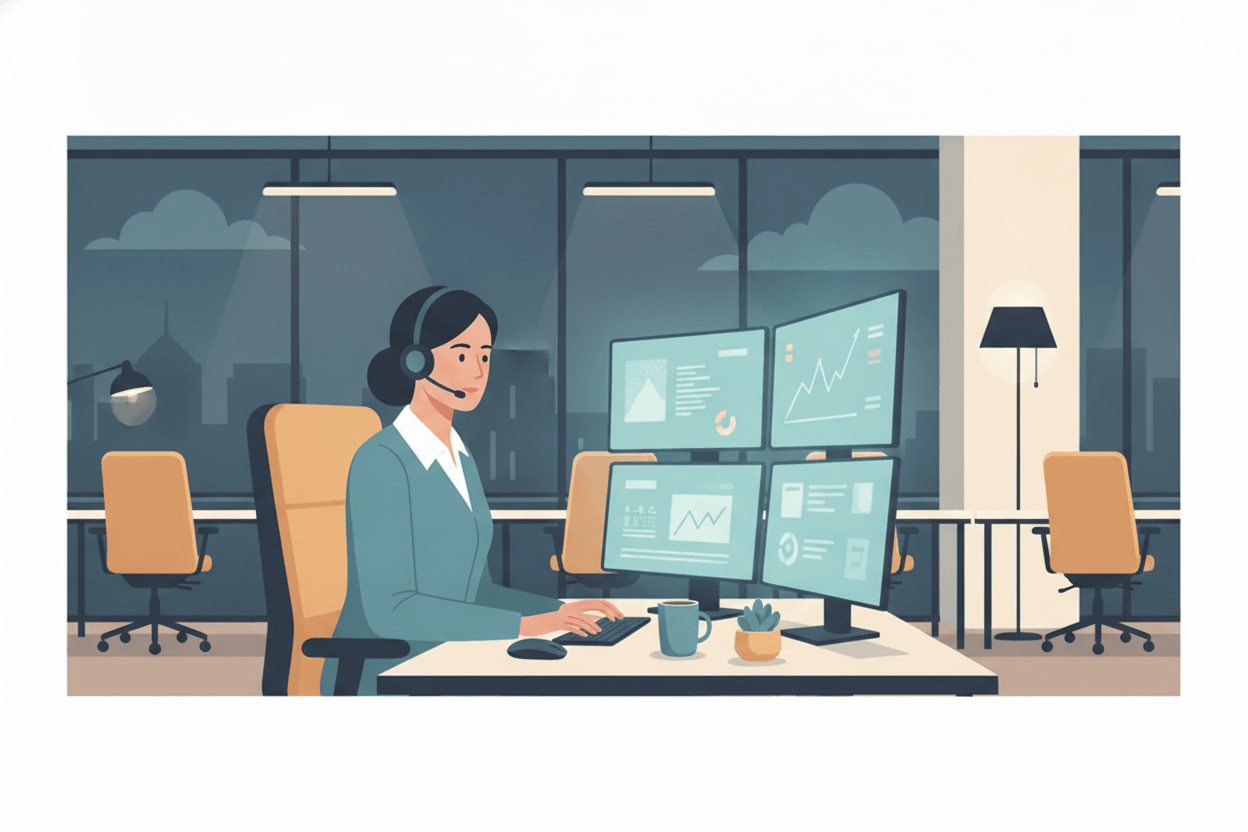
24/7 IT support is technical assistance available at any hour of the day, every day of the year, rather than limited to standard business hours. It typically comes from a managed service provider (MSP) that staffs a help desk continuously, either with live technicians, automated tools, or a combination of both.
The goal is simple: when something breaks, whether that's a server outage, a locked account, or a network issue, someone is available to respond immediately instead of leaving the problem to sit until the next business day.
In practice, "24/7" covers a spectrum. Some providers staff live technicians around the clock. Others combine a smaller overnight team with automated monitoring that catches and sometimes resolves issues on its own, escalating to a human only when needed. Both can be legitimate approaches, but they're not equivalent, which is part of why it's worth asking a provider exactly how their coverage works rather than assuming "24/7" means the same thing everywhere.
What Does 24/7 IT Support Include?
A complete 24/7 IT support offering typically covers:
- Multi-channel help desk access: Phone, email, live chat, or a ticketing portal, so staff can reach support however is fastest for the situation.
- Remote troubleshooting: Diagnosing and fixing hardware, software, and network issues without an on-site visit whenever possible.
- Continuous monitoring: Automated systems watching servers, networks, and critical applications for early warning signs of failure.
- Incident response: A defined process for triaging, escalating, and resolving issues, with response time targets tied to severity.
- Routine maintenance: Patching, updates, and backup verification that can run overnight without disrupting the workday.
- Escalation to specialists: Complex issues get routed to senior engineers rather than stalling with a generalist.
Not every provider bundles all of this the same way, so it's worth confirming exactly what's included before signing a contract.
24/7 IT Support Across Different Industries
Coverage needs vary widely by industry, and the value of round-the-clock support tends to track directly with how much an hour of downtime actually costs.
- Healthcare and dental practices: Patient records, scheduling systems, and diagnostic equipment often need to stay online outside standard hours, and compliance requirements add another layer of urgency to fast resolution.
- Financial and legal services: Client data sensitivity and contractual deadlines mean an overnight outage can carry real financial or reputational risk, not just inconvenience.
- Real estate: Transactions and client communication don't stop at 5 p.m., particularly during closings or time-sensitive negotiations.
- Retail and e-commerce: Online storefronts and point-of-sale systems generate revenue around the clock, so downtime has a direct dollar cost tied to it.
- Non-profits with distributed staff: Remote or field-based teams working outside a single time zone need support that doesn't assume everyone keeps the same hours.
A business that fits none of these patterns and closes its doors completely outside standard hours may find that business-hours support with a reliable on-call process covers its actual risk just as well, at a lower cost.
24/7 IT Support vs. Standard Business-Hours Support
The core difference is availability, but that difference cascades into cost, response time, and what kind of business actually benefits.
| Aspect | Business-Hours Support | 24/7 IT Support |
|---|---|---|
| Availability | Typically 8 a.m. to 6 p.m., weekdays | Every hour, every day |
| Response to after-hours issues | Waits until the next business day | Addressed as they happen |
| Typical cost | Lower | Higher, but scales with the coverage level chosen |
| Best fit | Businesses that fully close outside standard hours | Businesses running multiple shifts, e-commerce, or client-facing systems that can't go dark |
Neither option is universally correct. A ten-person accounting firm that closes at 5 p.m. has very different needs than a healthcare practice running on-call staff or an e-commerce operation taking orders at midnight.
Benefits of 24/7 IT Support for Small Businesses
- Less downtime, faster recovery. Problems get caught and addressed before they compound into a multi-hour outage discovered the next morning.
- Predictable coverage without hiring. Staffing an internal team around the clock is expensive and hard to sustain for a small business. Outsourcing gets the same coverage without the payroll burden.
- Access to a broader skill set. A managed provider's overnight team typically has depth across networking, servers, and security that a single in-house hire can't match alone.
- Better client and staff experience. Remote employees in different time zones, or client-facing systems that need to stay up, don't have to wait for the next business day.
- Maintenance without disrupting the workday. Patches, backups, and updates can run overnight instead of competing with active work hours.
How Much Does 24/7 IT Support Cost?
Pricing varies by provider and scope, but 24/7 coverage generally costs more than business-hours-only support because it requires staffing (or automation) around the clock rather than during a single shift. Most managed providers price it one of a few ways:
- Per-user or per-device monthly rate: A flat fee per employee or endpoint, often bundled with other managed services like monitoring and patching.
- Tiered plans: A base plan covering business hours, with 24/7 coverage as an add-on tier.
- Hourly or block-hour rates: Less common for true 24/7 coverage, but sometimes used for after-hours support layered on top of a business-hours contract.
The more useful comparison isn't the sticker price, it's the cost of the alternative. A few hours of downtime during a busy period can easily exceed a month's worth of 24/7 support fees, particularly for businesses where every hour offline means lost revenue or missed deadlines.

Signs Your Business Needs 24/7 IT Support
24/7 coverage isn't necessary for every business. It's worth considering seriously if:
- Your business operates across multiple shifts, locations, or time zones.
- Client-facing systems (a website, a booking platform, a portal) need to stay available outside normal hours.
- A past after-hours outage has already cost you real time, money, or a client's trust.
- Your industry has compliance or contractual obligations around system uptime.
- Staff or contractors regularly work evenings, weekends, or irregular hours.
If none of those apply and your business genuinely shuts down completely outside standard hours, business-hours support with a solid on-call escalation path may be all you need.
In-House vs. Outsourced 24/7 IT Support
Building true around-the-clock coverage in-house means hiring or scheduling staff across multiple shifts, which is difficult to justify for most businesses under a few hundred employees. It usually takes at least three to four people just to cover one role continuously, once you account for weekends, holidays, and time off.
Outsourcing to a managed provider spreads that staffing cost across many clients, which is why it's typically the more practical route for small and mid-sized businesses. The trade-off is less direct control over who's answering the phone, so it's worth vetting a provider's response times and escalation process before committing.
A middle-ground approach that works well for many small businesses is a hybrid model: an internal IT contact or small team handling day-to-day requests during business hours, backed by a managed provider's overnight and weekend coverage for everything else. This keeps a familiar face in front of staff during the day while still closing the after-hours gap without the cost of a full internal shift rotation.
Common Misconceptions About 24/7 IT Support
- "24/7 support means someone is always physically on-site." In reality, the vast majority of 24/7 support is delivered remotely, with on-site visits reserved for issues that genuinely require hands-on hardware work.
- "It's only for large enterprises." Small businesses with client-facing systems, remote staff, or compliance obligations often get more relative value from 24/7 coverage than a large enterprise with a bigger internal IT budget already absorbing the cost.
- "More coverage always means better protection." Coverage without a clear escalation process and defined response times doesn't actually reduce downtime, it just adds cost. The structure behind the coverage matters as much as the hours themselves.
- "24/7 support and 24/7 security monitoring are the same service." They frequently get bundled together, but they solve different problems and are worth evaluating on their own merits.
What a 24/7 Incident Actually Looks Like
It helps to see the process in concrete terms. Say a law firm's file server goes down at 11 p.m. on a Sunday, ahead of a Monday morning filing deadline. With true 24/7 support, the outage triggers an automated alert the moment the server stops responding, before anyone at the firm even notices. An on-call technician picks up the alert, confirms the severity, and starts troubleshooting immediately rather than waiting for a call in.
If the fix requires remote access, it happens right away. If it needs escalation to a senior engineer or a hardware replacement, that process starts overnight instead of at 9 a.m. Monday. By the time staff arrive, the issue is either resolved or already has a clear status update waiting for them, instead of a dead server and a scramble to find out what happened.
That gap, between an outage happening and someone actually starting to fix it, is what 24/7 coverage is built to close.
How to Choose a 24/7 IT Support Provider
A few questions worth asking before signing a contract:
- What are the guaranteed response times, and are they different for after-hours issues? Get this in writing as part of the service level agreement, not just a verbal promise.
- Is support truly staffed overnight, or does it route to an answering service? Some providers advertise 24/7 coverage that's really a call center taking messages until morning.
- What's included versus billed separately? Confirm whether monitoring, patching, and backup verification are part of the base plan.
- Can they show real examples of after-hours resolution? Ask for a reference or a case study, not just a sales pitch.
A provider that already handles your managed IT services is usually the simplest place to start, since 24/7 support works best when it's integrated with the same monitoring and maintenance systems rather than bolted on separately. Our guide on questions to ask an IT support provider covers more of the vetting process in detail.

It's worth noting that 24/7 IT support and 24/7 managed security services aren't the same thing, though they're often confused. General support handles the full range of technical issues, while security services focus specifically on threat monitoring and incident response. Many businesses end up needing both, but they're worth evaluating separately since not every provider offers both at the same depth.
If your business is losing time to after-hours outages or slow morning-after fixes, it's worth a conversation about what level of coverage actually makes sense for your operations, rather than defaulting to the most expensive option out of caution. The right amount of coverage is the amount that matches how your business actually operates, not the amount that sounds the most reassuring in a sales pitch.
Most businesses land somewhere between "we're fine with a next-business-day callback" and "we need a fully staffed overnight team," and the honest answer usually becomes clear once you map out what a real outage would actually cost in lost time, missed deadlines, or frustrated clients.
FAQs
What is 24/7 technical support?
24/7 technical support is IT help that's available at any hour of the day, every day of the year, rather than only during standard business hours. It typically includes a help desk, remote troubleshooting, and continuous system monitoring, usually delivered by a managed service provider.
How much does IT support cost per hour?
Costs vary widely by provider and scope, but most 24/7 IT support is priced as a flat monthly fee per user or device rather than a straight hourly rate. The more useful way to think about cost is comparing it against what an hour of downtime actually costs your business in lost revenue or productivity.
Is live chat support available 24/7?
It depends on the provider. Many 24/7 IT support plans include live chat as one of several contact channels, alongside phone and email, but not every provider staffs chat around the clock. Confirm which specific channels are covered at all hours before signing a contract.
What is an IT support service?
An IT support service is a provider, whether an internal team or an outsourced managed service provider, that handles technical issues like hardware and software troubleshooting, network problems, account access, and system maintenance for a business.
What's the difference between 24/7 IT support and 24/7 managed security services?
24/7 IT support covers general technical issues: help desk requests, troubleshooting, and system maintenance. 24/7 managed security services focus specifically on monitoring for and responding to security threats. Many businesses need both, but they're worth evaluating as separate services since not every provider covers them at the same depth.