


Table of Contents
- What Is an AI Policy, and Why Does Your Small Business Need One?
- What to Include in an AI Acceptable Use Policy
- How to Write an AI Policy in 7 Steps
- Sample AI Policy Template for Small Business
- AI Policy Examples: Sample Rules for Common Small Businesses
- Common AI Policy Mistakes to Avoid
- Make Your AI Policy Stick With Technical Controls
- How TechWorks Can Help With Your AI Policy
- FAQs
If you asked your team today which AI tools they use for work, you'd probably be surprised by the answers. ChatGPT for emails, Copilot for meeting notes, a free AI tool someone found to summarize PDFs. Most of that is helpful. Some of it may be putting client data, financials, or confidential documents somewhere you'd never approve. An AI policy fixes that by giving everyone clear, simple rules: which tools are allowed, what information stays out of them, and who to ask when they're unsure.
This guide walks you through how to write an AI policy for your small business step by step. You'll get a list of what to include, real examples of rules for common situations, and a plain-English template you can adapt and roll out this month.
Key Takeaways
- An AI policy (also called an AI acceptable use policy) tells employees which AI tools they can use, what data they can share, and what's off-limits.
- Keep it short. A one- to two-page policy people actually read beats a 20-page document nobody opens.
- The most important rule is about data: never put client, financial, health, or confidential information into unapproved AI tools.
- Give employees an approved AI tool. Banning AI without an alternative just drives it underground.
- A policy only works when it's backed by training and technical controls like data loss prevention and web filtering.
What Is an AI Policy, and Why Does Your Small Business Need One?
An AI policy is a written set of rules that explains how employees may use artificial intelligence tools at work. For a small business, it's usually an AI acceptable use policy: a short document that covers approved tools, data handling, human review of AI output, and what happens if someone breaks the rules. You'll also see it called an AI use policy, AI usage policy, or generative AI policy. They all mean roughly the same thing.
Most businesses don't have one yet. According to ISACA, only 28% of organizations say they have a formal, comprehensive policy for AI use. Meanwhile, employees are already using AI daily, often through free personal accounts the business can't see or control.
Without a policy, you're exposed to a few real risks:
- Data leaks. Free AI tools may keep what employees paste in and, depending on their settings, use it to train future models. Client lists, payroll files, and contracts don't belong there.
- Compliance problems. If you handle health records, financial data, or client confidential information, putting it into an unapproved tool can violate HIPAA, client contracts, or professional obligations.
- Bad output reaching customers. AI can confidently produce wrong numbers, made-up citations, or tone-deaf replies. Without a review rule, those mistakes go out under your name.
- Inconsistency. One employee thinks AI is banned, another uses it for everything. A policy sets the same expectations for everyone.
The goal isn't to stop people from using AI. It's to let them use it confidently and safely.
What to Include in an AI Acceptable Use Policy
An effective AI acceptable use policy for a small business covers nine elements. Each one can be a short paragraph or a few bullet points.
- Purpose and scope. One or two sentences on why the policy exists and who it applies to: employees, contractors, interns, and anyone using company accounts or devices. Make clear it covers personal AI accounts used for work, too.
- Approved AI tools. Name the specific tools and account types allowed, such as "Microsoft 365 Copilot Chat, signed in with your work account." Be specific about business versus free versions, because data protections differ.
- Data rules. The heart of the policy. Define what information can and can't go into AI tools (more on this below).
- Human review. AI output is a first draft. Employees must check facts, numbers, and tone before anything goes to a client, gets published, or informs a decision.
- Transparency. When should employees disclose AI use? Many businesses require disclosure for client deliverables or published content, but not for internal drafts.
- Prohibited uses. Things AI should never be used for at your business, such as making hiring decisions, giving legal or medical advice, or creating content that impersonates someone.
- Requesting new tools. A simple process for employees to ask for a new AI tool to be approved, so curiosity doesn't turn into shadow AI.
- Reporting and consequences. What to do if someone shares data by mistake (report it right away, no blame for honest mistakes) and what happens with repeated or deliberate violations.
- Review schedule. AI tools change constantly. Commit to reviewing the policy at least every six months.
Keep data rules simple: the three-tier approach
Most employees won't remember a detailed data classification scheme. Three tiers work well for small businesses:
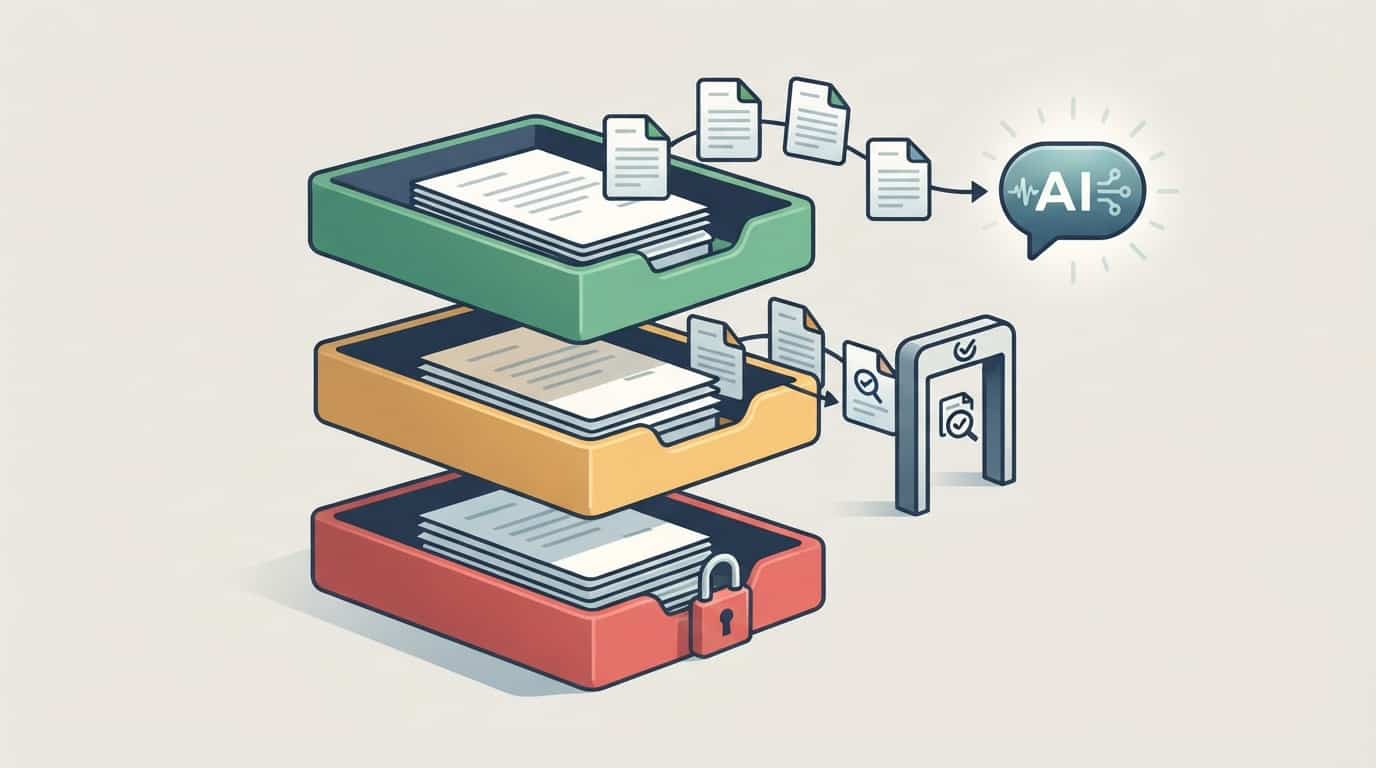
- Green (Public): Information already public or meant to be, like your website copy, published blog posts, or general industry questions. Fine to use with any approved AI tool.
- Yellow (Internal): Internal documents, processes, and non-sensitive business information. Use only with approved business AI tools signed in with a work account.
- Red (Restricted): Client or patient records, Social Security numbers, financial account details, passwords, HR files, contracts, and anything covered by law or a confidentiality agreement. Never put Red data into an AI tool unless it has been specifically approved for that purpose.
If employees are ever unsure which tier something falls into, the rule is simple: treat it as Red and ask.
How to Write an AI Policy in 7 Steps
You don't need a committee or a consultant to get started. Here's a practical process a small business can finish in a few weeks.
Step 1: Assign an owner
Pick one person responsible for the policy. In a small business, that's often the owner, office manager, or operations lead, working with your IT provider. The owner answers questions, approves new tools, and keeps the policy current.
Step 2: Find out how AI is already being used
Ask your team directly, with a promise that there's no penalty for honest answers. Which tools do they use? For what tasks? Using personal or work accounts? Your IT provider can also check network and browser activity to spot AI tools people forgot to mention. You'll often find more than you expected, and that's fine. The point is to know where you're starting from.
Step 3: Choose your approved tools
Pick one or two AI tools that cover most needs and come with business-grade data protection. If you already use Microsoft 365, Copilot Chat signed in with work accounts is a natural starting point, because prompts aren't used to train the underlying models. Paid business plans of other AI tools offer similar protections. Free consumer versions generally don't.
Step 4: Define your data tiers
Use the Green, Yellow, Red model above and list real examples from your business under each tier. "Patient intake forms" is clearer to an employee than "protected health information."
Step 5: Write the policy in plain English
Use the template below as a starting point. Aim for one to two pages. Write it the way you'd explain it to a new hire, not the way a lawyer would write a contract. If a rule needs a paragraph of explanation, it's probably too complicated.
Step 6: Review, sign, and train
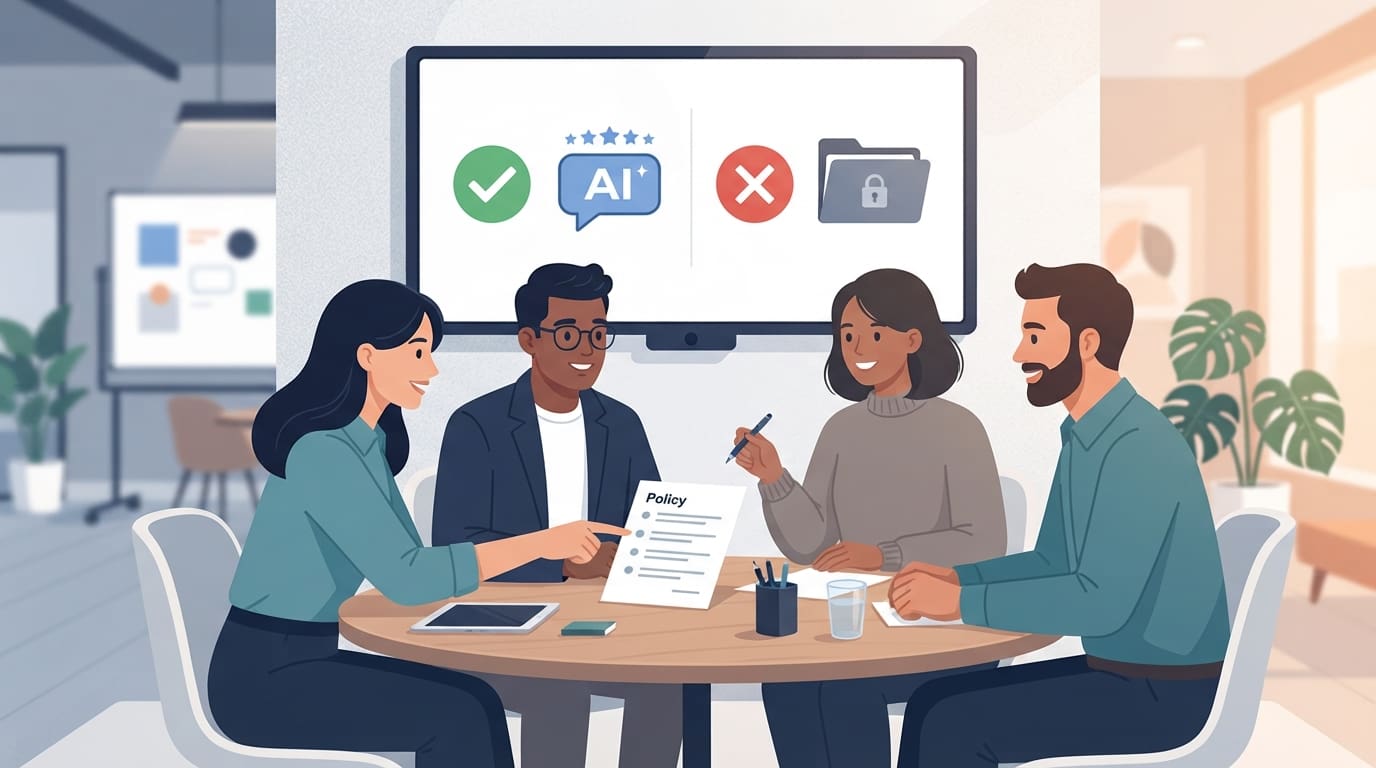
Have leadership review the draft, and have an HR advisor or attorney look it over if you're in a regulated industry. Then walk your team through it in a short meeting. Explain the reasoning, show the approved tools, and give real examples of what's allowed and what isn't. Ask everyone to sign an acknowledgment, and add the policy to new-hire onboarding. Our post on improving team confidence with AI has ideas for making that rollout feel supportive rather than restrictive.
Step 7: Back it up with technical controls and review it regularly
Rules alone won't stop a busy employee from pasting a spreadsheet into the wrong chatbot. Pair the policy with technical controls (covered below) and put a review date on the calendar every six months.
For a quick overview of why this matters, this short video from futurist and author Bernard Marr is worth sharing with your leadership team:
Sample AI Policy Template for Small Business
Copy this template, fill in the bracketed sections, and adjust it to fit your business. It's written to be short enough that employees will actually read it.
[Company Name] AI Acceptable Use Policy
Effective date: [Date] | Policy owner: [Name, Title] | Next review: [Date]
1. Purpose
AI tools can help us work faster and better. This policy explains how to use them safely so we protect our clients, our employees, and our business.
2. Who this applies to
All employees, contractors, and interns who use AI tools for [Company Name] work, on any device, including personal AI accounts used for work tasks.
3. Approved AI tools
You may use the following tools for work, signed in with your company account only:
- [Example: Microsoft 365 Copilot Chat]
- [Example: AI features built into approved software, such as Microsoft Teams meeting recap]
Free or personal AI accounts may not be used for work involving any company information beyond Green data.
4. What data you can use
- Green (Public): Public information and general questions. OK with approved tools.
- Yellow (Internal): Internal documents and non-sensitive business information. OK only with approved tools and your work account.
- Red (Restricted): [List examples: client records, patient information, Social Security numbers, bank or card numbers, passwords, HR files, contracts, pricing]. Never enter Red data into any AI tool unless [Policy Owner] has approved that specific use in writing.
If you're not sure, treat it as Red and ask.
5. Check everything AI produces
AI can be wrong. You are responsible for anything you send, publish, or decide using AI. Review facts, figures, names, and tone before sharing AI-assisted work with anyone outside the company.
6. Be transparent
Let [your manager / the client] know when AI was used to create client deliverables or published content. AI-assisted internal drafts do not need disclosure.
7. Never use AI to
- Make final decisions about hiring, firing, pay, or performance.
- Give legal, medical, tax, or financial advice to clients without professional review.
- Create content that impersonates a real person or misleads customers.
- Record or transcribe meetings without telling participants.
- Get around security controls or company policies.
8. Want to use a new AI tool?
Send a request to [Policy Owner / IT provider email] with the tool's name and what you'd like to use it for. Don't use it for work until it's approved.
9. Mistakes and violations
If you accidentally share Red data with an AI tool, report it to [Policy Owner] right away. Honest mistakes reported quickly won't be punished. Deliberate or repeated violations may lead to disciplinary action, up to and including termination.
10. Acknowledgment
I have read and understand this policy.
Name: ____________ Signature: ____________ Date: ________
This template is a starting point, not legal advice. If you work in healthcare, finance, legal services, or another regulated field, have it reviewed by your attorney or compliance advisor.
AI Policy Examples: Sample Rules for Common Small Businesses
The template covers the basics, but the best AI policies include a few rules specific to your industry. Here are examples you can adapt:
- Dental or medical office: "Patient names, dates of birth, insurance details, and clinical notes are always Red. AI may be used to draft general patient education materials and appointment reminder templates that contain no patient information."
- Law firm: "Client names, case facts, and documents produced in discovery are always Red. Any AI-generated legal research must be independently verified against primary sources before use."
- Accounting or bookkeeping firm: "Tax returns, bank statements, and client financial records are always Red. AI may be used to draft engagement letters and explain general tax concepts, reviewed by a licensed professional."
- Real estate office: "AI may draft listing descriptions from public property details. Client financial information, offer terms, and pre-approval letters are Red."
- Marketing or creative agency: "Client materials under NDA are Red unless the client approves AI use in writing. Disclose AI-generated images or copy to clients before delivery."
- Nonprofit: "Donor names, giving history, and beneficiary information are Red. AI may help draft grant narratives and newsletters using public program information."
Common AI Policy Mistakes to Avoid
- Banning AI outright. Employees will keep using it on their phones, where you have no visibility at all. Approve a safe option instead.
- Making it too long. If it reads like a legal contract, nobody will remember it. Save the details for an appendix.
- Being vague about tools. "Use approved AI tools" means nothing if no one knows which tools are approved. Name them.
- Writing it and forgetting it. A policy from last year may not cover the AI features that appeared in your software this year.
- Relying on the honor system. Even well-meaning employees make mistakes when they're busy. Technical controls catch what memory misses.
Make Your AI Policy Stick With Technical Controls
A written AI policy sets expectations. Technical controls make those expectations the default. Your IT provider can put several safeguards in place behind the scenes:

- Licensed business AI accounts so employees have an approved tool that protects company data.
- Data loss prevention (DLP) that detects sensitive information like Social Security numbers or client files and warns or blocks when someone tries to paste or upload it into an unapproved tool. Our guide to data loss prevention explains how this works.
- Web filtering to block or flag unapproved AI websites.
- Sign-in and access controls so AI tools connected to company data can only be used with work accounts on managed devices.
- Permission cleanup before turning on AI that searches your files, so it can't surface documents employees shouldn't see.
- Usage monitoring so you can see which tools are being used and adjust the policy based on real behavior.
For the bigger picture on rolling out AI safely, including choosing tools and running a pilot, see our guide to AI consulting for small business.
How TechWorks Can Help With Your AI Policy
Writing the policy is the easy part. Making sure it fits how your business actually works, and backing it up with the right settings, is where most small businesses need help. TechWorks works with Southern California businesses to:
- Inventory the AI tools your team is already using.
- Draft a plain-English AI acceptable use policy tailored to your industry and compliance requirements.
- Set up approved AI tools, data loss prevention, web filtering, and access controls to enforce it.
- Train your team so the policy feels like guidance, not a list of punishments.
- Review and update the policy as AI tools and your business change.
If your team is using AI without clear rules, now is the time to fix it. Contact TechWorks to schedule an AI policy review, and we'll help you put simple, effective guardrails in place.
FAQs
Does a small business really need an AI policy?
Yes. If even one employee uses ChatGPT, Copilot, or another AI tool for work, you need clear rules about what data can go into it. A short AI policy protects client information, reduces compliance risk, and gives employees confidence to use AI productively instead of guessing what's allowed.
What should an AI acceptable use policy include?
At minimum: who the policy applies to, a list of approved AI tools, clear data rules about what can and can't be entered, a requirement to review AI output before using it, prohibited uses, a process for requesting new tools, what to do after a mistake, and a review schedule. Most small businesses can cover all of this in one to two pages.
Can employees use ChatGPT at work?
That depends on your policy. Many businesses allow it only through a paid business account that doesn't use company data for model training, and only with public or internal information. Free personal accounts should not be used for anything involving client, financial, health, or confidential data.
How often should we update our AI policy?
Review it at least every six months, and any time you adopt a new AI tool, change software platforms, or face new compliance requirements. AI features are added to everyday software constantly, so a policy that's a year old may already have gaps.
Who should write a small business AI policy?
Usually the owner or an operations leader, working with your IT provider. Your IT partner knows which tools are in use and what technical controls are available. If you work in a regulated industry like healthcare, finance, or law, have an attorney or compliance advisor review the final version.